Putting Your Project on the Public X Bot Dashboard at xbot.ninja
When your tracked chat clears the visibility thresholds, your leaderboard appears on the public xbot.ninja dashboard. Here's how to qualify.
 by Nacho Coll
Nacho leads the Blockchain Web Services (BWS) team that builds and operates X Bot — the Telegram bot that turns X (Twitter) activity into leaderboards for crypto communities.
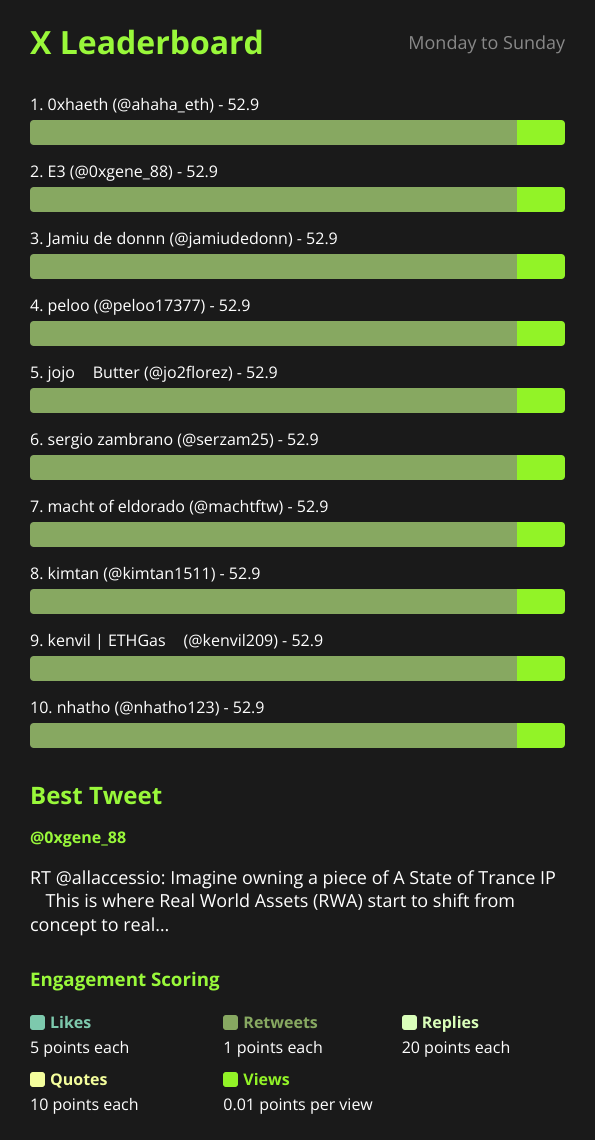
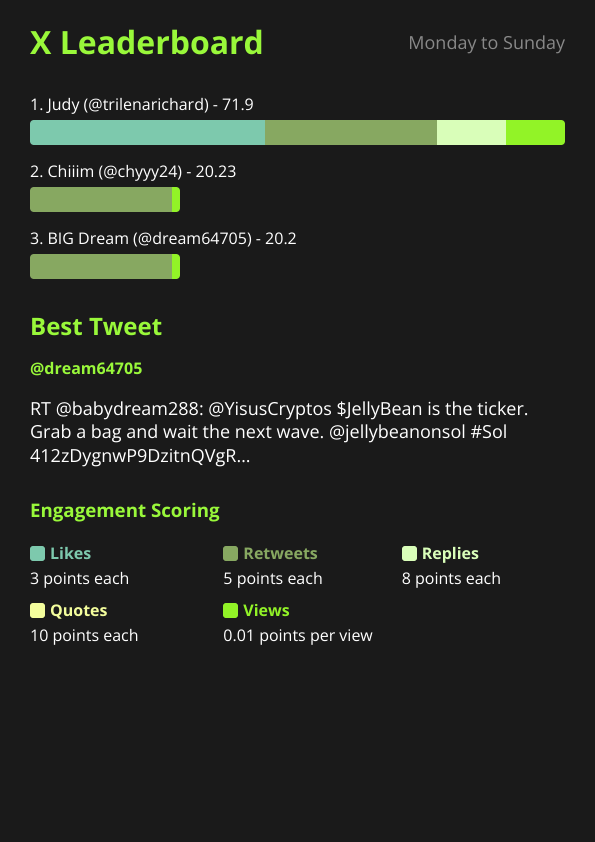
Getting your crypto project’s X activity tracked with X Bot is just the beginning. Once your Telegram chat generates enough consistent engagement data, your leaderboard automatically becomes visible on the public dashboard at xbot.ninja. This public exposure can be a powerful marketing tool, but it comes with specific requirements and customization options you should understand upfront.
The 3 Thresholds You Need to Clear: 300 Points, 5 Posts, 2 Users#
- Top score ≥ 300 points in the current tracking period
- ≥ 5 tracked posts collected from X (Twitter)
- ≥ 2 active users posting tracked content in the current month
These thresholds keep spam chats and one-off experiments off the public page. A score of 300+ usually means real community interaction — a viral post from a tracked KOL, or steady engagement across multiple posts. The 5-post minimum rules out one-lucky-tweet chats, and the 2-user minimum keeps a single account from dominating the feed (a consistent solo KOL can still qualify).
What Shows on Your Public Dashboard Card#
When your chat clears these thresholds, it appears as a branded card on the main dashboard. The information displayed comes directly from your 🎨 Customization settings in /setup:
- Project name — your chat’s display name
- Project description — a brief summary of what you’re tracking
- Logo — your project’s branding image
- URLs — website and social links
- Current period stats — top score, post count, active user count
This means you should invest time in the customization menu early, even if you’re just testing X Bot. A professional-looking public card can drive organic discovery and demonstrate your project’s X engagement to potential investors, partners, or community members who find your leaderboard through search or browsing.
Setting Up Your Public Presence#
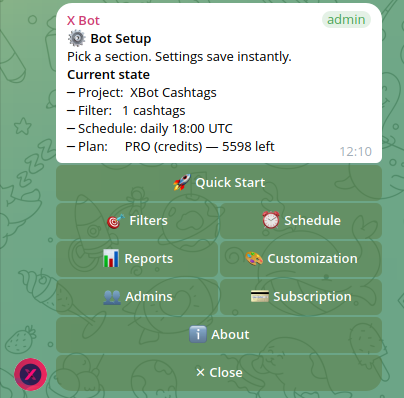
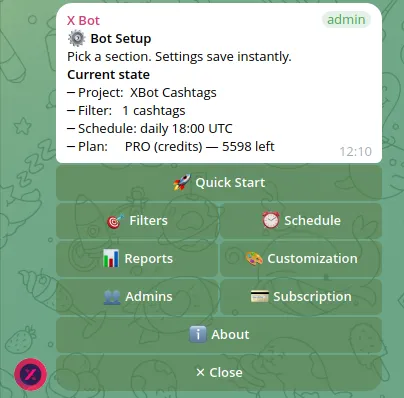
Navigate to /setup in your Telegram chat and select 🎨 Customization. Here’s what each field controls on your public dashboard card:
Project Name: This becomes your headline. Keep it concise but descriptive. “EXAMPLE Token Community” works better than “random chat 123” or inside jokes that won’t make sense to external viewers.
Project Description: A one-sentence explanation of what your leaderboard tracks. Examples that work well:
- “Weekly X engagement leaderboard for our DeFi protocol community”
- “KOL performance tracking for EXAMPLE token launch campaign”
- “Community contest tracking posts with $EXAMPLE cashtag”
Logo: Upload a clear, square image that represents your project. This displays as a small thumbnail, so avoid text-heavy designs that become unreadable when scaled down.
URLs: Add your project website and main social accounts. These become clickable links on your public card, driving traffic back to your official channels.
The leaderboard title and colors you set also carry over to the public view, so consider how your branding will look to outsiders discovering your project for the first time.
Direct URL Access for Any Chat#
Even chats that don’t meet the public dashboard thresholds can be viewed directly if you know the chat ID. The URL pattern is:
https://xbot.ninja/?chatId=YOUR_CHAT_IDThis is useful for sharing your leaderboard privately with team members, investors, or partners before you’ve built up enough activity for public visibility. You can find your chat ID by running /setup and looking at the URL preview that appears in the customization section.
Building Toward Public Visibility#
If your chat isn’t yet public-ready, focus on the scoring fundamentals. The X Bot scoring system weights different engagement types based on your 📊 Reports configuration:
- Quotes: 10x (commentary plus redistribution — the most valuable signal)
- Replies: 8x (real conversation with your content)
- Retweets: 5x (amplification, without the commentary)
- Likes: 3x (baseline engagement)
- Views: 0.01x (raw reach counts for very little)
These are the defaults — every multiplier is configurable per chat via /setup → 🎨 Customization.
A single well-performing tweet can easily hit 300+ points if it receives dozens of likes, several retweets, and quality replies. But consistent smaller posts often work better for maintaining public visibility month-over-month than relying on viral moments.
Review your 🎯 Filters to ensure you’re capturing the right content. If you’re tracking a specific cashtag like $EXAMPLE, make sure your community knows to use it. If you’re monitoring KOL accounts with from:username filters, verify those accounts are actively posting about your project.
Privacy and Control Considerations#
Once your chat becomes public, anyone can view your leaderboard data and see which X accounts are performing well in your tracking. This transparency can be powerful for building credibility, but consider the implications:
- KOL privacy: Tracked influencers’ performance becomes visible to competitors and other projects
- Community dynamics: Public rankings might change how your community behaves on X
- Competitive intelligence: Other projects can analyze your engagement strategies and top performers
You can remove your chat from public visibility by reducing activity below the thresholds or adjusting your filters to track less content. The bot doesn’t offer a manual “make private” toggle — visibility is purely threshold-based.
Maximizing Your Public Dashboard Impact#
Once you qualify for public visibility, treat your dashboard presence as a marketing channel. Here are proven strategies from successful projects:
Consistent branding: Ensure your customization settings align with your main project branding. A cohesive look builds trust with visitors discovering your project through the dashboard.
Regular promotion: Share your public dashboard link in your community updates. Frame it as social proof: “Check out our community’s X engagement this week” rather than just posting raw metrics.
Seasonal campaigns: Structure your X activity around campaign periods to maintain the 300+ score threshold during important launch or marketing windows. This is especially relevant for projects doing token launch X tracking.
Cross-platform integration: Link to your public dashboard from your website, pitch decks, and investor materials as evidence of organic community engagement.
When Public Visibility Doesn’t Make Sense#
Not every project should aim for public dashboard placement. Consider keeping your tracking private if:
- You’re running competitive analysis on other projects’ KOLs
- Your community prefers internal-only performance discussions
- You’re testing campaign strategies you don’t want competitors to see
- Your project is pre-launch and not ready for public discovery
For agency clients managing multiple projects, you might want separate chats for each client to control what becomes publicly visible under each brand.
Technical Details and Troubleshooting#
The dashboard updates every few hours as new reports are generated. If your chat recently crossed the visibility thresholds but isn’t showing up, check:
- Recent report generation: Run
/setup→ 📊 Reports → 🔄 Generate Report to trigger a fresh calculation - Threshold confirmation: Verify all three requirements (score 300+, 5+ posts, 2+ users) in your latest report
- Customization completeness: Empty project names or descriptions can delay public listing
For ongoing issues, use /setup → ❓ Help & Support to open a ticket with the X Bot team.
The public dashboard serves as both a discovery mechanism for new X Bot users and a showcase for projects with strong X engagement. By understanding the requirements and optimizing your customization settings, you can turn your tracked activity into a marketing asset that builds credibility and attracts new community members organically.
Ready to track your community on X? Add @BWS_X_Bot to your Telegram group, run /setup, and your first report fires on the configured schedule. The FREE plan covers 100 posts/month — no card required.
About this article: This post was drafted with AI assistance using X Bot’s content workflow and reviewed by Nacho Coll, Founder & Principal at Blockchain Web Services (BWS), before publishing. Every product claim is checked against the live bot. Read how we use AI in our content. Spot an error? Reach us via
/setup→ ❓ Help & Support.
Want your leaderboard to reward different behavior before you chase those thresholds? See Customizing your score weights to tune what counts.
Solo KOL rather than a project or agency? See Building a solo-KOL performance portfolio for how the same public dashboard doubles as a verifiable track record.
About the author
Nacho Coll
Founder & Principal, Blockchain Web Services
Nacho leads the Blockchain Web Services (BWS) team that builds and operates X Bot — the Telegram bot that turns X (Twitter) activity into leaderboards for crypto communities. He writes about KOL performance tracking, the X API, and running analytics bots for Telegram groups, from the operator side of the wire. Building on blockchain and decentralized infrastructure since 2019.
- public x analytics dashboard
- public kol leaderboard
- project x performance public
- xbot.ninja dashboard