Track Multiple KOL Clients in One Telegram Group
Run three (or thirty) client campaigns in parallel from one Telegram chat using named filters. One report per campaign per fire, all on the same schedule.
 by Nacho Coll
Nacho leads the Blockchain Web Services (BWS) team that builds and operates X Bot — the Telegram bot that turns X (Twitter) activity into leaderboards for crypto communities.
Managing multiple KOL campaigns simultaneously is like juggling flaming torches while riding a unicycle. You’ve got five different clients, each with their own set of influencers, and you’re constantly switching between Telegram groups trying to figure out who posted what for which project. Sound familiar?
Most agencies end up creating separate Telegram groups for each client campaign. While this keeps things organized, it also means you’re managing dozens of groups, jumping between chats, and losing the big picture of your overall agency performance. There’s a better way.
The Multi-Client Challenge#
Picture this: You’re running campaigns for TokenA, TokenB, and TokenC. Each project has hired 3-5 KOLs to post about their token launch. Your current setup probably looks like this:
- “TokenA Campaign” Telegram group with KOLs @alice_crypto, @bob_trader, @carol_defi
- “TokenB Campaign” Telegram group with KOLs @dave_nft, @eve_yield, @frank_dao
- “TokenC Campaign” Telegram group with KOLs @grace_web3, @henry_btc
You’re constantly switching between three different chats, trying to track who’s hitting their posting quotas, which tweets are getting the best engagement, and whether your KOLs are actually delivering value for each client.
The bigger problem? When a client asks “How did our campaign perform compared to the others?” you don’t have a clean way to benchmark across campaigns without manually aggregating data from multiple groups.
If you’re still stitching together KOL performance in spreadsheets between client calls, see how that compares to automated tracking in X Bot vs. manual spreadsheet tracking — the time savings compound fast once you’re running five or more campaigns.
Named Filters: One Chat, Multiple Campaigns#
X Bot’s named filters solve this exact problem. Instead of managing separate Telegram groups, you can track all your client campaigns from a single chat. Each campaign gets its own named filter, and X Bot generates separate reports for each filter on the same schedule.
Here’s how the same three-campaign scenario looks with named filters:
Single “Agency Operations” Telegram group with three named filters:
- “TokenA Campaign” filter tracking
from:alice_crypto OR from:bob_trader OR from:carol_defi AND $TOKENA - “TokenB Campaign” filter tracking
from:dave_nft OR from:eve_yield OR from:frank_dao AND $TOKENB - “TokenC Campaign” filter tracking
from:grace_web3 OR from:henry_btc AND $TOKENC
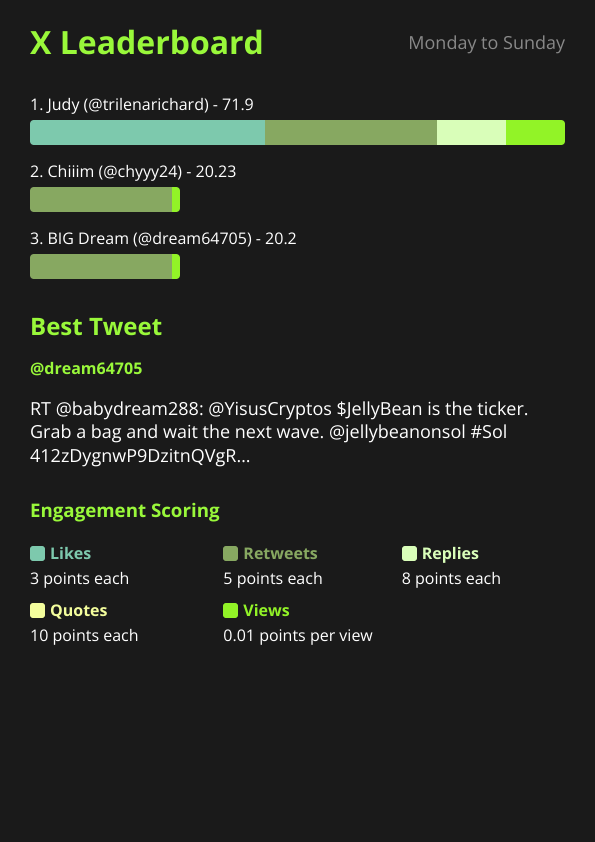
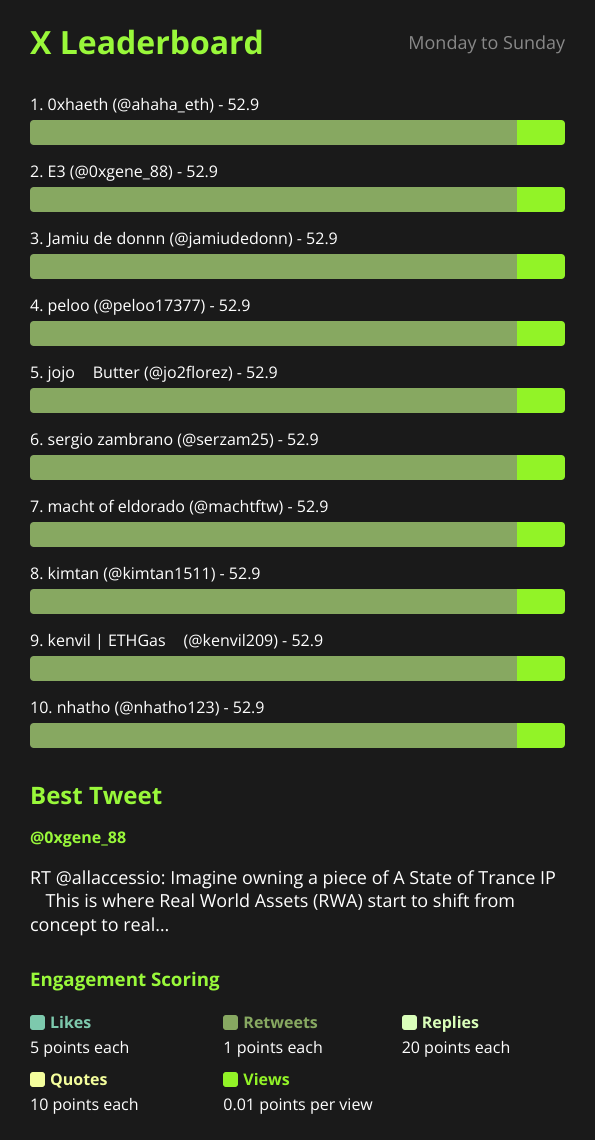
Every time the report schedule fires (let’s say daily at 14:00 UTC), you get three separate leaderboard images posted to the same chat—one per campaign. Now you can compare performance across all your client campaigns at a glance.
Each client chat can also carry its own look — see White-Labeling X Bot Reports for Client Delivery for the logo, color and section-title options.
Setting Up Named Filters#
Getting this configured takes about 5 minutes per campaign. Here’s the step-by-step process:
1. Create Your Agency Operations Group#
Create a new Telegram group for your agency’s internal operations. Add @BWS_X_Bot to the group and promote it to admin with the necessary permissions (post messages, delete messages, read message history).
2. Access Named Filters#
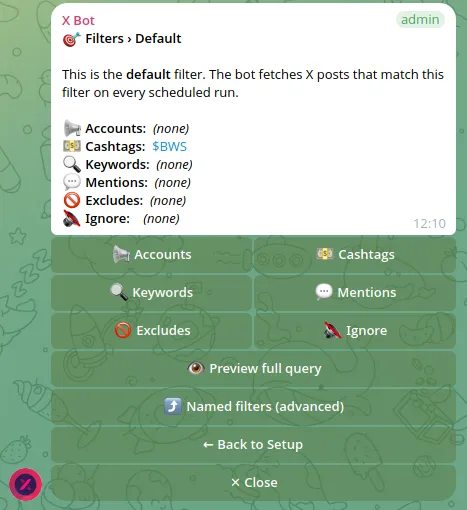
Run /setup in your group to open the configuration menu. Navigate to 🎯 Filters → ⤴ Named filters.
3. Add Your First Campaign Filter#
Click ➕ Add named filter. X Bot will prompt you for:
- Filter name: Something like “TokenA Campaign” or “Client Alpha Q1”
- Filter criteria: The X activity you want to track for this specific campaign
For a typical KOL campaign, your filter criteria might look like:
from:alice_crypto OR from:bob_trader OR from:carol_defi AND $TOKENAThis tracks posts from your three hired KOLs that mention the client’s cashtag.
If you want to track cashtag mentions independently of specific KOL accounts — useful for measuring organic community buzz per client — see our dedicated guide on cashtag tracking for token projects.
4. Repeat for Each Campaign#
Add additional named filters for each client campaign. There’s no hard limit on the number of named filters you can create, though in practice most agencies run 3-10 concurrent campaigns.
5. Configure Your Schedule#
Navigate to ⏰ Schedule and set up when you want reports to fire. Most agencies find daily reports at 14:00 UTC work well—gives you afternoon visibility into the previous 24 hours of activity across all campaigns.
The beauty of named filters is that all campaigns share the same schedule. One cron fires, multiple reports get generated and posted.
For clients who need instant visibility the moment a hired KOL posts, pair named filters with auto-relaying their X posts straight to Telegram instead of waiting for the next scheduled report.
Sample Agency Workflow#
Here’s how a typical day looks with this setup:
9:00 AM: Check overnight activity in your agency operations group. Three campaign reports from yesterday evening show TokenA had strong engagement (leading KOL hit 2.1K likes), TokenB was quiet (only 1 post tracked), and TokenC had good volume but lower individual performance.
Not sure which post to spotlight in your client report? Our deep dive on automatically picking the best tweet explains how X Bot’s scoring algorithm surfaces the highest-impact post across dozens of KOLs so you don’t have to eyeball engagement numbers manually.
11:30 AM: Client TokenB calls asking about campaign status. You scroll up in the single Telegram chat, find their latest report, and can immediately see their hired KOLs only posted once yesterday. You reach out to the underperforming KOLs. Before a client invoice goes out, check each KOL’s posts against the contract using the dated reports too; the full routine is in verifying KOL deliverables before paying.
2:00 PM: Daily reports fire. All three campaigns get fresh leaderboards. You can see at a glance which campaigns are trending up or down compared to previous days.
4:15 PM: Client TokenA wants to extend their campaign and asks for performance benchmarks. Since all campaigns report to the same chat, you can easily scroll through the history and show them how their KOLs are performing compared to other similar campaigns you’ve run.
Cost Considerations for Multi-Campaign Tracking#
X Bot’s pricing model works well for agencies because you pay per post fetched, not per Telegram group or named filter. Whether you track one campaign or ten campaigns, you’re paying for the actual X activity volume.
Here’s how the math works out:
FREE plan: 100 posts/month across all your named filters. Good for testing the setup or very light campaigns.
PRO subscription: $19/month includes 1,000 posts, then $0.02 per additional post. Most 3-5 campaign agencies fit comfortably within the monthly allowance.
ETH credit packs: If you have seasonal spikes (token launches, major announcements), you can top up with ETH credits that never expire. Credits drain first, then your monthly subscription allowance.
For context, a typical KOL campaign with 5 influencers posting 2-3 times per week generates about 40-60 tracked posts per month. So three concurrent campaigns might use 150-200 posts monthly, fitting well within a single PRO subscription.
If you’re still weighing whether a scheduled report engine like X Bot fits your workflow better than a live dashboard, see our X Bot vs X Pro vs TweetDeck comparison for a full breakdown.
When Named Filters Aren’t the Right Choice#
Named filters work great for most agency use cases, but there are scenarios where separate groups still make sense:
Client confidentiality: If your clients specifically require campaign isolation (common in competitive launches), separate groups with individual bot instances provide better confidentiality.
Different reporting schedules: Named filters share the same report schedule. If TokenA wants daily reports but TokenB only wants weekly summaries, you’d need separate groups.
Client-facing groups: If you want to invite client stakeholders to see their campaign performance directly, a dedicated group for that client makes more sense than exposing them to your multi-client operations chat.
Very different filter complexity: Named filters work best when campaigns have similar tracking needs (KOL accounts + cashtags). If one campaign needs complex keyword tracking while another focuses purely on account mentions, separate configurations might be cleaner.
Advanced Multi-Client Patterns#
Once you’re comfortable with basic named filters, here are some advanced patterns agencies use:
Portfolio tracking: Create a “Portfolio Overview” named filter that tracks ALL your hired KOLs across all campaigns. This gives you agency-wide performance visibility alongside individual campaign reports.
Competitive intelligence: Add named filters tracking competitor campaigns or broader market cashtags. Now you’re benchmarking your campaigns against the wider market, not just internal performance.
Geographic segmentation: If you run campaigns in different regions, create named filters for “US KOLs,” “EU KOLs,” etc. Same campaign content, different influencer pools.
Getting Started with Multi-Campaign Tracking#
The transition from multiple groups to named filters is straightforward. Most agencies set up the new consolidated approach alongside their existing groups, run both in parallel for a week or two, then phase out the old setup once they’re comfortable with the workflow.
The key insight is that agency operations benefit from centralized visibility. When all your campaign performance reports land in the same Telegram chat, you naturally start seeing patterns, making comparisons, and optimizing across campaigns rather than in silos.
For more detailed guidance on setting up your first campaign tracking, check out our guide on tracking X activity for token launch. If you’re interested in the technical details of how X Bot pricing works across multiple campaigns, our pricing documentation covers the billing model in depth.
Ready to track your community on X? Add @BWS_X_Bot to your Telegram group, run /setup, and your first report fires on the configured schedule. The FREE plan covers 100 posts/month — no card required.
About this article: This post was drafted with AI assistance using X Bot’s content workflow and reviewed by Nacho Coll, Founder & Principal at Blockchain Web Services (BWS), before publishing. Every product claim is checked against the live bot. Read how we use AI in our content. Spot an error? Reach us via
/setup→ ❓ Help & Support.
Once a client’s chat clears the engagement thresholds, it can also surface on the public X Bot dashboard — useful social proof to share back with that client.
Each client filter can run on its own cadence — see Custom report schedules for how to stagger them with cron expressions.
Running campaigns with different goals per client? Customize the score weights per chat so each leaderboard rewards what that campaign actually needs.
Want teammates to help run the bot without becoming Telegram group owners? See Adding X Bot admins without losing group ownership.
About the author
Nacho Coll
Founder & Principal, Blockchain Web Services
Nacho leads the Blockchain Web Services (BWS) team that builds and operates X Bot — the Telegram bot that turns X (Twitter) activity into leaderboards for crypto communities. He writes about KOL performance tracking, the X API, and running analytics bots for Telegram groups, from the operator side of the wire. Building on blockchain and decentralized infrastructure since 2019.
- kol agency tracking
- multi-client campaign tracking
- kol management tool
- named filters x bot