Customizing Your X Bot Leaderboard: Score Weights Explained
X Bot scores tracked posts using weights for likes, retweets, replies, quotes, and views. Here is how the formula works and how to tune it for your community.
 by Nacho Coll
Nacho leads the Blockchain Web Services (BWS) team that builds and operates X Bot — the Telegram bot that turns X (Twitter) activity into leaderboards for crypto communities.
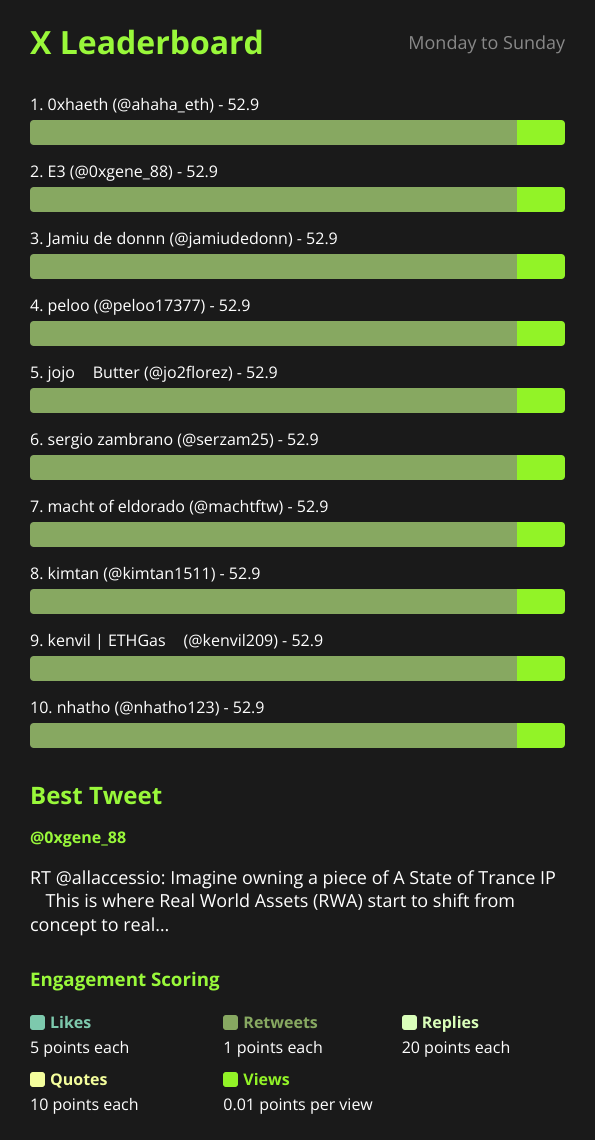
Every X Bot report ends the same way: a ranked list of names, each with a number next to it. That number decides who looks like the top performer in your community this week. Most chats never touch how it’s calculated — and for most chats, that’s the right call. But if you’ve ever looked at a report and thought “that’s not really who drove the conversation,” the fix isn’t a different bot. It’s the weights.
This is the feature that quietly sits behind every leaderboard: a per-metric score you can tune from /setup → 🎨 Customization. Here’s what it actually does, how the math works, and — just as important — when to leave it alone.
What gets scored, and why#
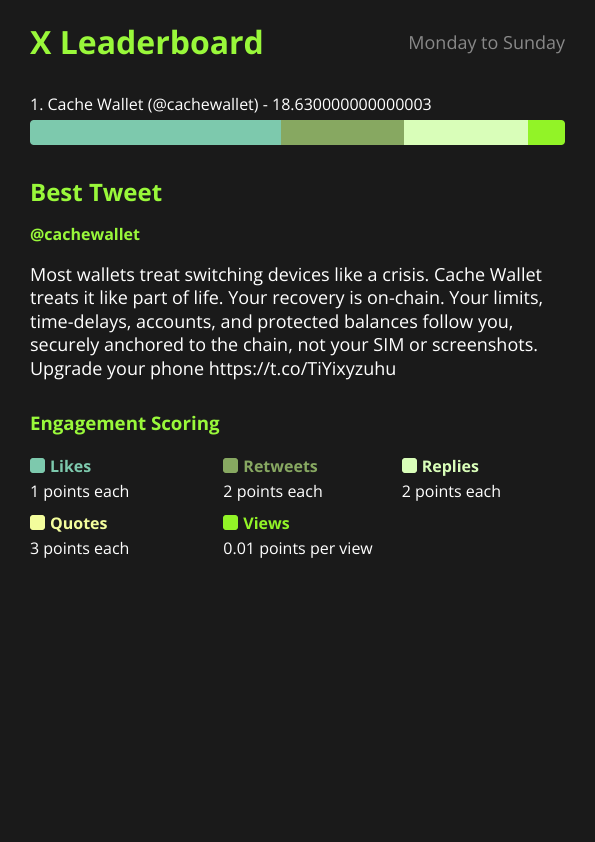
X Bot tracks five engagement metrics per post: likes, retweets, replies, quotes, and views. Each one has a weight. When a report fires, the bot pulls every post that matched your filters during the period, computes a per-post score as a weighted sum of those five metrics, and then sums each user’s post scores together. Highest total wins the top spot.
The default weights are likes=3, retweets=5, replies=8, quotes=10, views=0.01, and they are tuned to be reasonable for a generic community: conversation counts most (quotes and replies sit at the top), amplification without commentary counts less (retweets), a like is the baseline, and raw reach counts for almost nothing. That default works fine if you just want “who was active and got engagement” — which covers the majority of chats using the 🎯 Filters setup out of the box.
But “reasonable for a generic community” isn’t the same as “correct for your campaign.” Two chats with identical raw engagement numbers can want completely different leaderboards, because they’re measuring different things.
Two campaigns, two different “best” posts#
Take a token-launch coordinator running a KOL campaign. The goal is awareness — get the token in front of as many eyeballs as possible before a listing. For that goal, a post that got quote-tweeted into five other timelines is worth more than one that collected quiet likes from the same closed audience. Raising the retweet and quote weights, and leaving replies where they are, pushes the leaderboard toward “who actually spread this,” not just “who posted something popular.”
Now take a community manager running weekly engagement check-ins inside a project’s own Discord-adjacent Telegram. The goal there is the opposite: real conversation, not reach. A post that triggered twenty genuine replies is more valuable than one that got retweeted into the void by bot-adjacent accounts. Raising the reply weight (and maybe dropping the view weight toward zero, since views are the easiest metric to inflate and the hardest to act on) produces a leaderboard that actually reflects community health.
Neither chat is “wrong” to use the same bot with different numbers. That’s the point of making weights configurable instead of fixed.
Where to change it#
Weights live under /setup → 🎨 Customization, alongside project name, description, logo, URLs, and leaderboard title/color. It’s per-chat, not global — a chat running three named filters for three different clients still shares one set of weights across all of them, since weights are a property of the chat’s report, not of an individual filter.
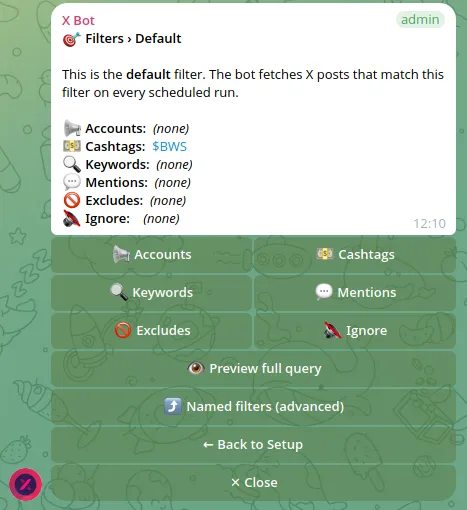
You don’t need to touch every metric. Bumping one weight up and leaving the rest at default is usually enough to shift the ranking noticeably, especially in chats where post volume is high enough that small per-metric differences compound across dozens of posts in a period.
The math, in plain terms#
Per post: score = (likes × weight_likes) + (retweets × weight_retweets) + (replies × weight_replies) + (quotes × weight_quotes) + (views × weight_views).
Per user, per report period: the bot sums the score of every post that (a) matched the active filter and (b) was authored or attributed to that user, then ranks users by that total. The top-N count (also set in 🎨 Customization) controls how many rows actually make it into the rendered report image — raising it doesn’t change anyone’s score, just how far down the list the image shows.
There’s no normalization step and no decay — a single viral post from day one of a 7-day reporting window counts exactly as much on day seven as it did the day it happened. If you want fresher activity to matter more, that’s a scheduling change (shorter report periods), not a weight change.
Here’s a worked example to make it concrete. Say two posts came in during the same reporting period, under the default weights of likes=3, retweets=5, replies=8, quotes=10, views=0.01:
- Post A: 200 likes, 40 retweets, 5 replies, 10 quotes, 15,000 views →
(200×3) + (40×5) + (5×8) + (10×10) + (15,000×0.01) = 600 + 200 + 40 + 100 + 150 = 1,090. - Post B: 60 likes, 8 retweets, 35 replies, 2 quotes, 2,000 views →
(60×3) + (8×5) + (35×8) + (2×10) + (2,000×0.01) = 180 + 40 + 280 + 20 + 20 = 540.
Post A wins on volume even though Post B generated seven times as many replies — 200 likes is simply a lot of baseline engagement to out-argue. Now double the reply weight to 16 and drop the view weight to 0.002: Post A becomes 600 + 200 + 80 + 100 + 30 = 1,010, Post B becomes 180 + 40 + 560 + 20 + 4 = 804. The gap closes from 550 points to 206 — about thirteen more replies on Post B would flip the ranking outright. That’s the entire mechanism — no hidden multipliers, no per-account modifiers, just five numbers you control and a sum.
The solo KOL case#
Weights matter differently again for a solo KOL running their own account through X Bot as a public performance portfolio rather than a team leaderboard. Here there’s only one user in the ranking, so the “who’s on top” question disappears — but the weights still shape which of your own posts the bot highlights as your best work for the period, and they shape the top-line score that shows up if your chat clears the public-dashboard threshold. A solo KOL pitching brand deals probably wants reach-weighted numbers (views, retweets) that read well to a sponsor skimming the public page; a solo KOL trying to prove genuine community trust to a project they’re pitching to work with might prefer reply-weighted numbers instead. Same bot, same menu, different five numbers depending on who’s going to read the report.
How weights interact with two other features#
Two things downstream of the score formula are worth knowing before you start tuning:
The best-tweet picker. Each report also surfaces one “best tweet” of the period, chosen from the same underlying engagement data. We cover the selection rule — and its deliberate anti-repeat behavior — in How the “Best Tweet of the Day” Picker Works. Changing your weights changes which posts score highest overall, which can shift which post gets picked as “best,” since the picker leans on the same weighted metrics.
The public dashboard threshold. Chats that clear a top score of 300, 5+ tracked posts, and 2+ active users in the current month become eligible for the public leaderboard at xbot.ninja (see Putting Your Project on the Public X Bot Dashboard). Because that threshold is measured against the top score, raising weights that inflate scores (like views, which tend to be the largest raw number) can push a chat over that line faster — for better or worse. If you’re deliberately keeping a chat private, that’s a reason to leave the view weight conservative.
When not to touch the defaults#
Most chats shouldn’t open this menu at all, and that’s a fine outcome. The default weights exist because they work for the common case: a community or campaign that just wants “who was active and got real engagement” without anyone gaming a specific metric. If your report already looks right — the names at the top match who you’d expect intuitively — changing weights is solving a problem you don’t have.
The cases where it’s worth the five minutes are narrower than they sound: a campaign explicitly optimizing for reach over conversation (or vice versa), a chat that’s noticed one metric is being gamed (bulk-retweet rings are the usual suspect, in which case dropping the retweet weight is a reasonable countermeasure), or an agency standardizing weights across multiple client chats so leaderboards are comparable client-to-client. Outside of those, leave it as-is and spend the setup time on filters instead — that’s where most of the leaderboard’s accuracy actually comes from.
If none of the built-in weight combinations get you where you want, /setup → ❓ Help & Support reaches the team directly — worth a message before you spend an afternoon reverse-engineering the “right” numbers by trial and error.
Ready to track your community on X? Add @BWS_X_Bot to your Telegram group, run /setup, and your first report fires on the configured schedule. The FREE plan covers 100 posts/month — no card required.
About this article: This post was drafted with AI assistance using X Bot’s content workflow and reviewed by Nacho Coll, Founder & Principal at Blockchain Web Services (BWS), before publishing. Every product claim is checked against the live bot. Read how we use AI in our content. Spot an error? Reach us via
/setup→ ❓ Help & Support.
About the author
Nacho Coll
Founder & Principal, Blockchain Web Services
Nacho leads the Blockchain Web Services (BWS) team that builds and operates X Bot — the Telegram bot that turns X (Twitter) activity into leaderboards for crypto communities. He writes about KOL performance tracking, the X API, and running analytics bots for Telegram groups, from the operator side of the wire. Building on blockchain and decentralized infrastructure since 2019.
- leaderboard scoring weights
- twitter engagement score formula
- customize kol ranking
- telegram bot leaderboard settings