Why We Redesigned /setup: From 50 Slash Commands to One Menu
X Bot used to expose 50+ slash commands. New users got lost. We folded everything into /setup with inline buttons. Here is what changed and why.
 by Nacho Coll
Nacho leads the Blockchain Web Services (BWS) team that builds and operates X Bot — the Telegram bot that turns X (Twitter) activity into leaderboards for crypto communities.
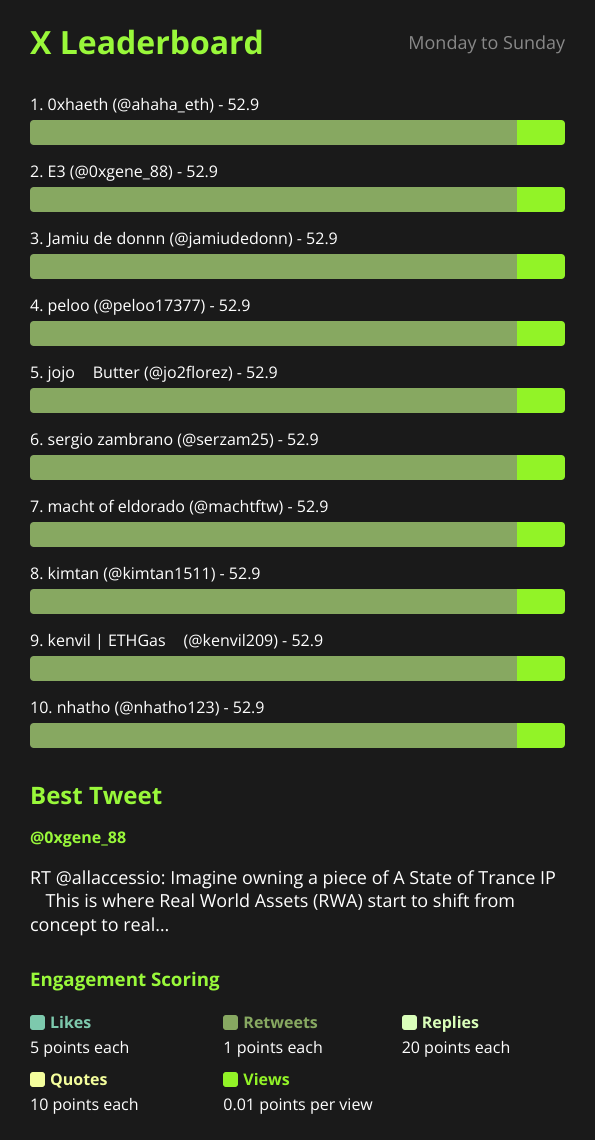
If you added X Bot to a group chat a while back, you might remember a very different bot. There was /set_x_filtering, /set_calendar, /set_top_count, /set_colors, /set_points, /set_topic, and about 45 more commands just like them. Every feature got its own slash command, because that felt like the natural way to expose a growing feature set in Telegram. It was not.
This post is about why we tore that structure out and replaced it with a single /setup menu, what the numbers told us before and after, and what we kept around for the people who liked the old way.
The problem: 50 commands is not a feature list, it’s a maze#
Telegram’s command autocomplete shows you a scrollable list the moment you type /. That works fine for five or six commands. At 50+, it stops being a menu and starts being a wall of text that nobody reads top to bottom. New admins — the person in a crypto project’s Telegram group who just got told “hey, set up the tracking bot” — would type /setup, get a wall of unfamiliar commands, and either guess wrong or give up.
We heard this constantly in support tickets, before we had a real ❓ Help & Support flow to catch it: “how do I add the cashtags,” “where do I set the schedule,” “does this bot even do reports.” The answers were always a command they hadn’t found, buried in a list they didn’t have time to read. The bot had all the functionality people wanted. It just didn’t tell you where anything was.
Slash commands also don’t compose well. If you wanted to set up filters, a schedule, and customization, that was three (or more) separate command invocations, each requiring you to remember the exact syntax — /set_x_filtering @handle1 @handle2 $TOKEN, formatted just right, no typos, no forgiving retry. One malformed argument and you’d get a terse error and have to start over. There was no guided path from “I just added this bot” to “I have a working report.”
The fix: one entry point, everything discoverable#
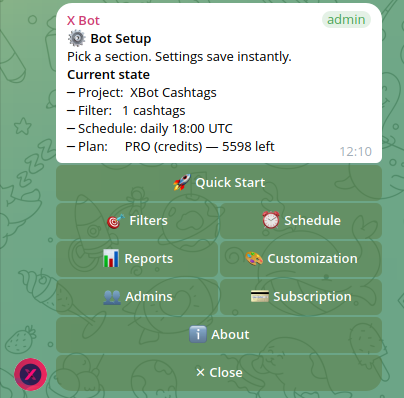
We collapsed the command surface into a single /setup command that opens an inline keyboard — the tappable button menus Telegram supports natively. Instead of memorizing 50 command names, you see 8 labeled sections and tap the one you want:
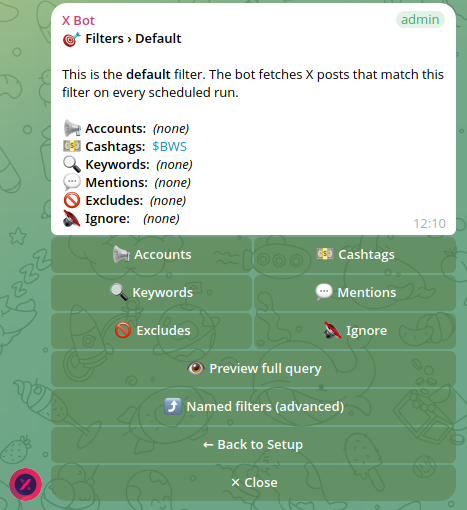
- 🎯 Filters — accounts, cashtags, keywords, mentions, excludes, ignore list, named filters
- ⏰ Schedule — daily presets, custom time, specific days, or a full cron expression
- 📊 Reports — trigger a report on demand, review report history
- 🎨 Customization — project name, description, logo, URLs, leaderboard title and color, weights, top-N count
- 👥 Admins — who else can configure the bot
- 💳 Buy Credits — ETH credit packs or the PRO subscription
- 📡 X Posts Auto-relay — forward posts from selected accounts into the chat in near real time
- ❓ Help & Support — open a ticket, get replies as Telegram DMs
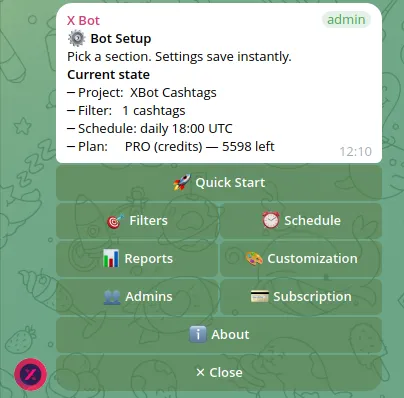
Every button leads to another menu, not a syntax you have to recall. Setting cashtags used to mean remembering /set_x_filtering and getting the argument order right. Now it’s /setup → 🎯 Filters → 💵 Cashtags → ➕ Add, and the bot prompts you for what it needs next.
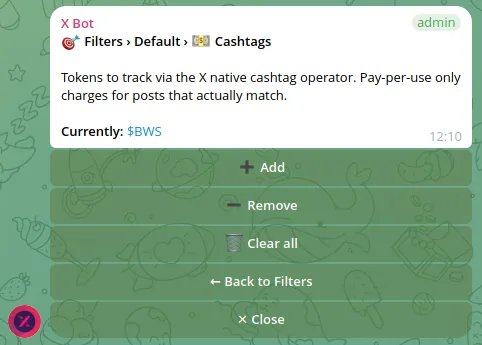
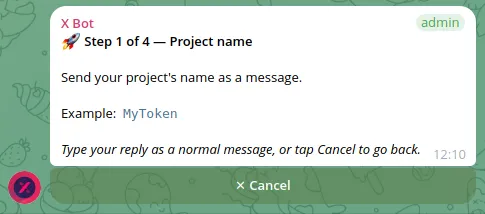
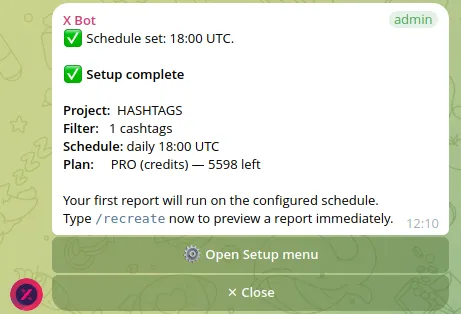
The first-run experience changed the most. New chats now get a 4-step quick-start wizard: project name, then filters, then schedule, then a confirmation screen — done in under a minute, with no command syntax to get wrong.
What actually moved: activation numbers#
We tracked what percentage of new chats fired their first report within 24 hours of adding the bot — the clearest signal of “did this person actually get through setup, or did they bounce.” Before the menu redesign, a large share of new installs never completed configuration; admins would poke at a couple of slash commands, get an error on a malformed argument, and go quiet. After the redesign, most new chats that started the quick-start wizard finished it and had a report scheduled the same day. The wizard’s biggest win wasn’t teaching people new features — it was removing the chance to type something wrong.
Support tickets about “how do I configure X” also dropped sharply once the menu shipped, replaced by more specific questions about tuning (how the best-tweet picker works, for example) rather than “where is the button for this.”
What we kept as direct commands#
We didn’t delete everything. A handful of commands are frequent enough, or useful enough as a fast path, that we kept them outside the menu:
/setup— opens the menu (the entry point itself)/report— trigger a report immediately, no menu navigation/buy— jump straight to buying credits/subscription— check or manage the PRO subscription/add_admin— add a bot admin without digging into 👥 Admins/set_topic— set the target topic in forum-mode groups/status— quick health check (filters active, schedule, plan)/get_chatid— needed occasionally for support tickets and API debugging
These are the commands power users type from muscle memory, and the ones scripts or automations are more likely to call directly. Keeping them meant we didn’t break anyone’s existing workflow while still fixing discoverability for everyone else. The other 40+ legacy commands still technically resolve for backward compatibility, but they’re not documented or suggested anywhere — the menu is the supported path now.
Was it worth the migration cost?#
Yes, but it wasn’t free. Every menu screen had to handle the case where a user taps a button, then closes Telegram, then comes back three days later expecting the same state — inline keyboards don’t hold conversation context indefinitely, so we had to make each step re-enterable rather than assuming a linear flow. We also had to think harder about permissions: a menu invites more clicking around than a command someone had to look up and type, so 👥 Admins and role checks got tightened at the same time.
If you’re building a Telegram bot with more than a handful of configuration knobs, our take is: don’t wait until you have 50 commands to make this call. The threshold where a command list stops being useful is lower than it feels when you’re the one adding features one at a time. If your users are configuring things they don’t do daily — schedule syntax, filter combinations, named filters — a guided menu beats a memorized command every time. If it’s a command someone will run dozens of times a day, keep it a fast, direct command.
For a deeper look at how the filtering side of /setup works in practice, see tracking X activity for a token launch and cashtag tracking for crypto projects — both walk through the current 🎯 Filters menu step by step. For the full menu reference, the setup menu docs cover every screen, and x-bot-overview is the best starting point if you’re new to the bot entirely.
Ready to track your community on X? Add @BWS_X_Bot to your Telegram group, run /setup, and your first report fires on the configured schedule. The FREE plan covers 100 posts/month — no card required.
About this article: This post was drafted with AI assistance using X Bot’s content workflow and reviewed by Nacho Coll, Founder & Principal at Blockchain Web Services (BWS), before publishing. Every product claim is checked against the live bot. Read how we use AI in our content. Spot an error? Reach us via
/setup→ ❓ Help & Support.
“This is one of many product updates we cover — see the X Bot blog for release notes, case studies, and deep dives.”
Need something other than the default daily time? See Custom report schedules for cron expressions and timing options.
About the author
Nacho Coll
Founder & Principal, Blockchain Web Services
Nacho leads the Blockchain Web Services (BWS) team that builds and operates X Bot — the Telegram bot that turns X (Twitter) activity into leaderboards for crypto communities. He writes about KOL performance tracking, the X API, and running analytics bots for Telegram groups, from the operator side of the wire. Building on blockchain and decentralized infrastructure since 2019.
- telegram bot ux
- slash commands vs menu
- x bot setup redesign
- telegram inline keyboard ux