Welcome to the X Bot Blog: Release Notes & Deep Dives
The X Bot blog covers release notes, KOL agency case studies, X API deep dives, and operator tips for running Telegram analytics communities.
 by Nacho Coll
Nacho leads the Blockchain Web Services (BWS) team that builds and operates X Bot — the Telegram bot that turns X (Twitter) activity into leaderboards for crypto communities.
Hi — this is the first post on the X Bot blog. The technical docs at xbot.ninja/docs already cover how the bot works (installation, /setup tour, troubleshooting, pricing). This blog is for everything that doesn’t fit there.
What we’ll write about here#
- Release notes — every meaningful feature shipped, plus the reasoning behind it. Why we chose 1-tap URL buttons over a dedicated payment screen, why “default + named” filters over a single all-in-one query, why ETH credits drain before the Stripe metering threshold, and so on.
- Case studies — anonymised numbers from real chats. How a 5-KOL agency runs a campaign through the bot. What a 50-user community looks like in the leaderboard. What buy-side analysts pull from the public dashboard at xbot.ninja.
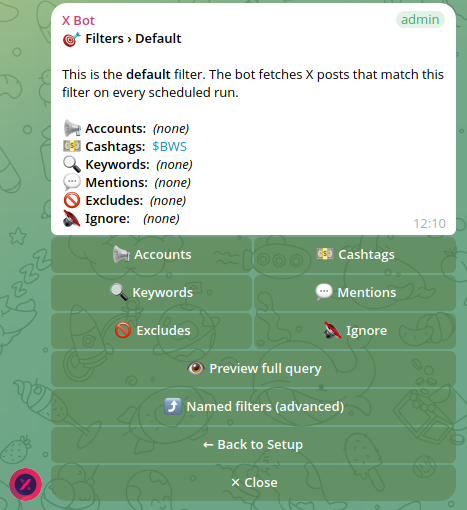
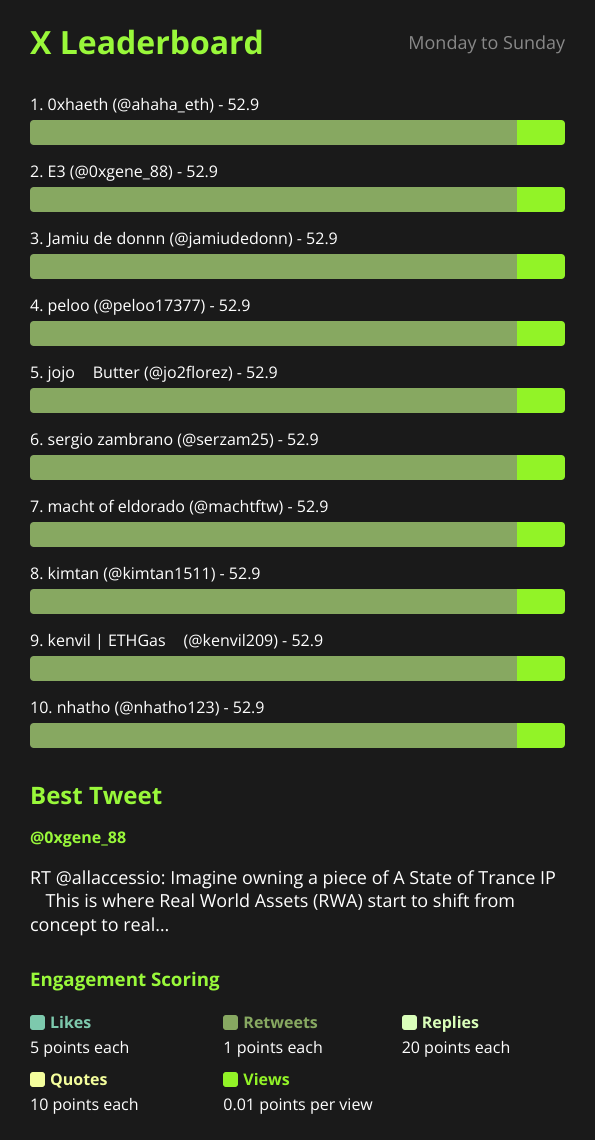
- Deep dives — how the X API actually behaves under the hood, how the bot’s filtering query gets built from the menu, what the scoring weights mean in practice, what changes in the report image when you set a custom logo.
- Operator notes — the running cost of a chat, what credits buy you, what makes a leaderboard image look good, how to write a filter that isn’t too narrow.
Why now#
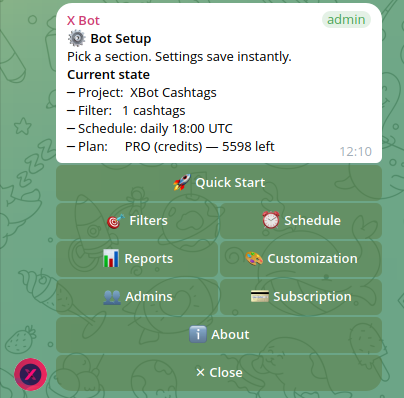
We’ve spent the last few weeks tightening the /setup UI — the menu now covers every setting without typing slash commands, payment buttons open the wallet/checkout in one tap, support tickets open from the menu and admin replies arrive as Telegram DMs. The product is stable enough that the next leverage point is making it easier to discover.
Read the full story in why we redesigned the /setup menu, from 50 slash commands down to one guided menu.
The blog is part of that. Posts here will show up in xbot.ninja and from search engines. If you’re running a Telegram community, weighing X-analytics options, or just curious how a single-developer tool ships, follow along.
Get the bot#
Open @BWS_X_Bot on Telegram → add it to your group → run /setup. The first report runs on your configured schedule; the FREE plan covers 100 posts per month (no card required).
If you want to jump straight to a concrete example, read how X Bot pricing works (FREE plan, ETH credits, and the $19 subscription explained) or see how a KOL agency tracks multiple client campaigns in one Telegram group.
— Nacho
About this article: This post was drafted with AI assistance using X Bot’s content workflow and reviewed by Nacho Coll, Founder & Principal at Blockchain Web Services (BWS), before publishing. Every product claim is checked against the live bot. Read how we use AI in our content. Spot an error? Reach us via
/setup→ ❓ Help & Support.
About the author
Nacho Coll
Founder & Principal, Blockchain Web Services
Nacho leads the Blockchain Web Services (BWS) team that builds and operates X Bot — the Telegram bot that turns X (Twitter) activity into leaderboards for crypto communities. He writes about KOL performance tracking, the X API, and running analytics bots for Telegram groups, from the operator side of the wire. Building on blockchain and decentralized infrastructure since 2019.
- introduction
- x-bot
- telegram