How Many People Should Your X Leaderboard Show? Choosing the Top Count
Top 3, top 5 or top 10? How the leaderboard size in X Bot changes motivation, rewards and client reports, and how to set it in /setup in under a minute.
 by Nacho Coll
Nacho leads the Blockchain Web Services (BWS) team that builds and operates X Bot — the Telegram bot that turns X (Twitter) activity into leaderboards for crypto communities.
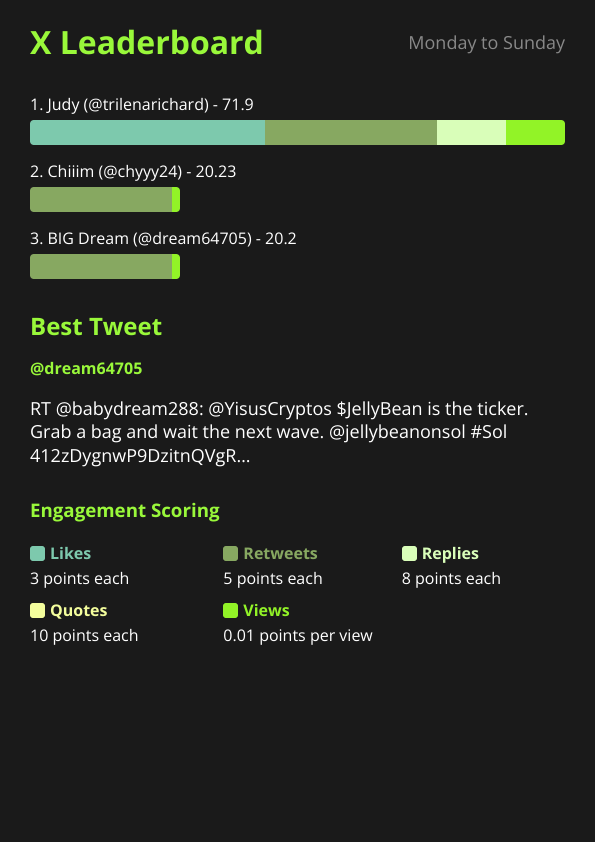
Most people set up X Bot, watch the first report land in the chat, and never touch the leaderboard size again. That is a missed lever. The number of names on the report decides who feels seen, who feels out of reach, and how much of the image anyone actually reads.
This post is a decision guide for one setting: Top count, the number of users the report leaderboard shows. It is a small setting with a surprisingly large effect on how your community behaves.
What the setting does, exactly#
X Bot fetches X posts on your schedule, scores each post with your weights, adds the scores up per account, and renders a leaderboard image. Top count is how many of those accounts appear on the image.
Three facts, all checked against the bot:
- The range is 1 to 10. Anything else is rejected with a message asking for a whole number from 1 to 10.
- The default is 5. If you never set it, the menu shows
5 (default). - It only changes the display. Accounts outside the cut are still tracked and scored. Raising the count later does not lose anyone’s history for the period.
That last point matters. You are choosing what to show, not what to measure. If you are unsure how scores are built, read Customizing Your X Bot Leaderboard: Score Weights Explained first.
How to change it#
- In your Telegram group, run
/setup. - Open 🎨 Customization.
- Tap 🔢 Top count.
- Reply with a whole number from 1 to 10.
The bot answers with a confirmation and the next report uses the new size. If you are an admin and prefer the older command, /set_top_count 10 does the same thing. The menu is the recommended path, and the full tour is in the setup menu docs.
To see the effect without waiting for the schedule, pull a report on demand. How to Pull an On-Demand X Report Without Waiting covers that.
The real question: what is the leaderboard for?#
Before picking a number, decide what job the leaderboard has. In practice there are four, and each wants a different size.
Job 1: Recognise the winners (top 3)#
If the point of the report is to name a winner and two runners-up, show three. A podium is easy to read, easy to screenshot, and easy to repost on X. It also makes the prize obvious: first, second, third.
The tradeoff is blunt. Anyone at rank 4 or lower is invisible in the chat. In a community of 15 active posters, that is most of the room, and invisible people stop posting.
Use top 3 when:
- You run a short, high-stakes contest with a clear prize per rank.
- The group is small, and everyone already knows who is active.
- You want the report to double as a social post.
Job 2: Keep a regular crowd engaged (top 5)#
Five is the default for a reason. It is long enough that a member who is consistently active can reach it, and short enough that the image stays clean and readable on a phone.
For a standing weekly or daily leaderboard in a community of 20 to 100 active members, five is usually right. It gives rank 6 and 7 a visible target (“two more good posts and I am on the board”), without turning the report into a wall of names.
Use top 5 when:
- The leaderboard is permanent, not a one-off contest.
- You want a mix of regulars and newcomers to appear over time.
- You are not sure. Start here and adjust after two or three reports.
Job 3: Reward a wider ambassador group (top 10)#
Ten is the maximum, and it suits programmes where many people earn something. If your ambassador scheme pays the top ten, the report should show the top ten, otherwise someone will ask “where did I finish?” in the chat every single period.
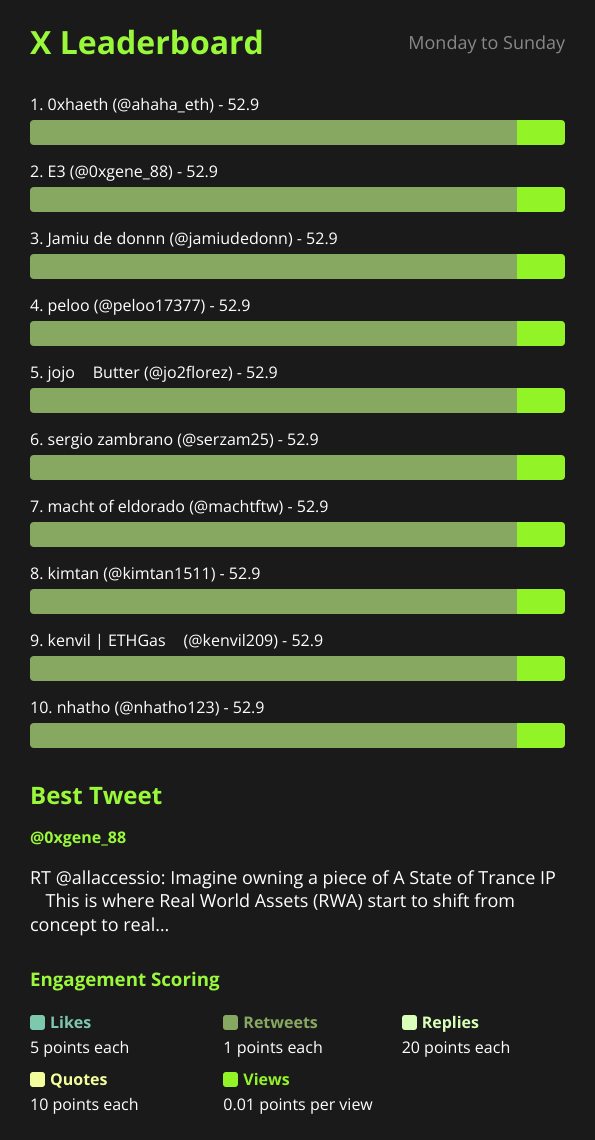
The sample community report in the screenshot at the top of this post is a ten-user weekly board. It works because the audience is large enough that ten names still feel like an achievement.
The cost is attention. Ten rows means more to scan, and the gap between first and tenth can be huge. If the top scorer has 4,000 points and rank 10 has 40, the tail looks discouraging rather than motivating.
Use top 10 when:
- You have a tiered reward scheme that reaches at least ten people.
- The community is large, with plenty of accounts posting each period.
- Transparency matters more than a punchy image. See Weekly Ambassador Leaderboard for Your Crypto Community for a worked programme.
Job 4: Hold KOLs accountable (match the roster)#
Agencies and launch coordinators have a different question. The leaderboard is not a contest, it is a delivery check: did every hired KOL post, and how did each one perform?
Here the right size is simply the size of the roster, capped at ten. If you hired four KOLs, set top count to 4 so every hired account appears and nobody can hide at rank 5. If you hired eight, set it to 8.
One limit to plan around: with more than ten KOLs on a campaign, a single report cannot show all of them. Split the roster across chats, one per client or cohort, which also gives each client a cleaner report. Track Multiple KOL Clients in One Telegram Group walks through that structure, and Tracking X Activity for a Token Launch shows the launch version.
A quick decision table#
| Situation | Suggested Top count |
|---|---|
| Short contest, one prize per rank | 3 |
| Small group, under about 15 active posters | 3 |
| Standing weekly leaderboard, mid-size community | 5 |
| Not sure yet | 5 (the default) |
| Ambassador programme paying many people | 10 |
| Client report with a fixed KOL roster | Roster size, up to 10 |
| Public showcase for a big community | 10 |
Treat these as starting points. The best number is the one that makes the right people feel the report is about them.
Three mistakes to avoid#
Mistake 1: Showing more names than people who qualify#
If only four accounts posted in the period, a top count of 10 does not invent six more rows. It shows who is there. That is fine, but an empty-looking board reads as a dead community. In the quiet early weeks of a new group, a smaller number makes the report look healthier and more honest.
Mistake 2: Changing the size mid-contest#
If you announce “top 5 win rewards” and then switch to top 10 halfway through, people will ask what changed. Lock the number when the contest starts, and write it into the rules. For fixed-length contests, Run a Fixed-Dates X Engagement Contest From Telegram covers the full setup.
Mistake 3: Treating the size as a fix for a noisy board#
If the leaderboard feels cluttered, a smaller top count hides the noise, but it does not remove it. Spam accounts, retweets and off-topic posts still count towards scores and can still reach the cut. Clean the inputs instead, with excludes and an ignore list. Cleaning Up Noisy X Bot Reports shows how.
Pair it with the other report levers#
Top count works best alongside three other settings in the same Customization menu:
- Weights. If the same accounts always win, adjust what you reward. Conversation can count for more than raw amplification, and the defaults already lean that way.
- Project branding. A logo, project name and colours make a ten-row board look designed rather than dumped. White-Labeling X Bot Reports for Client Delivery covers it.
- Schedule. A shorter period with a small board feels competitive. A longer period with a bigger board feels like a season. Match the two.
When a bigger leaderboard is the wrong answer#
Top count tops out at ten, so it is not a tool for showing a whole community. If you want to recognise 50 contributors, no setting will do it. Options are to rotate which ten are shown by running shorter periods, to run separate named filters for separate cohorts, or to publish your own longer list from the data. For public visibility, qualifying chats can also appear on the dashboard described in Putting Your Project on the Public X Bot Dashboard.
It is also worth being honest about the opposite case. If your group has three active posters, no value of Top count will make the report feel busy. Fix activity first, then tune the display.
A simple way to pick, in two reports#
- Leave the default of 5 for the first report.
- Read it in the chat. Ask: did the right people appear, and was the bottom row still motivating?
- If the bottom row felt arbitrary, drop by one or two. If members asked where they ranked, raise it.
- Check again after the next report, then leave it alone.
Two cycles is enough. After that, resist the urge to fiddle.
Ready to track your community on X? Add @BWS_X_Bot to your Telegram group, run /setup, and your first report fires on the configured schedule. The FREE plan covers 100 posts/month — no card required.
About this article: This post was drafted with AI assistance using X Bot’s content workflow and reviewed by Nacho Coll, Founder & Principal at Blockchain Web Services (BWS), before publishing. Every product claim is checked against the live bot. Read how we use AI in our content. Spot an error? Reach us via
/setup→ ❓ Help & Support.
About the author
Nacho Coll
Founder & Principal, Blockchain Web Services
Nacho leads the Blockchain Web Services (BWS) team that builds and operates X Bot — the Telegram bot that turns X (Twitter) activity into leaderboards for crypto communities. He writes about KOL performance tracking, the X API, and running analytics bots for Telegram groups, from the operator side of the wire. Building on blockchain and decentralized infrastructure since 2019.
- x leaderboard top count
- telegram leaderboard size
- community leaderboard design
- x bot top count