How to Pull an On-Demand X Report Without Waiting
The /report command resends your last leaderboard image instantly instead of waiting for the schedule. Here is how it works, who can run it, and what it costs.
 by Nacho Coll
Nacho leads the Blockchain Web Services (BWS) team that builds and operates X Bot — the Telegram bot that turns X (Twitter) activity into leaderboards for crypto communities.
Your scheduled report fires at 09:00 UTC. It’s 3pm and a KOL just posted something that’s clearly moving the leaderboard, and a client is asking for numbers right now. You don’t want to wait until tomorrow morning to see where things stand, and you don’t want to dig through X manually to eyeball it.
This is exactly what the /report command is for. It’s one of the handful of slash commands X Bot kept as a direct command after the setup menu redesign — because “show me the current state, right now” is a different job than configuring the bot, and it didn’t need a menu. You type it, you get an answer, there’s nothing to navigate.
A concrete example#
Picture a token-launch coordinator running a three-day KOL push. The schedule is set to fire once a day at 09:00 UTC — plenty for the daily wrap-up, but useless for a client call happening at 3pm on day two. Instead of exporting a screenshot from X manually or asking someone to eyeball a dozen profiles, the coordinator types /report in the campaign group. The bot replies with the same leaderboard image and text breakdown it posted that morning — current as of the last fire, not a fresh pull, but current enough to answer “who’s leading right now” without leaving Telegram. If the client wants numbers that reflect posts from the last hour specifically, that’s a different problem — the fix is a tighter schedule (more on that below), not /report.
What /report actually does#
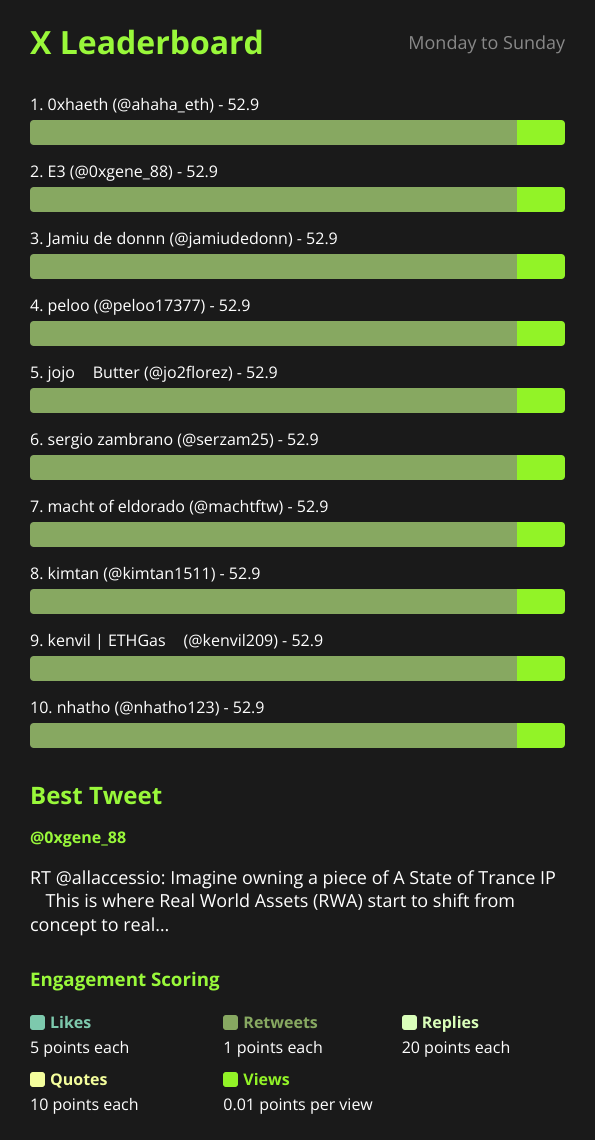
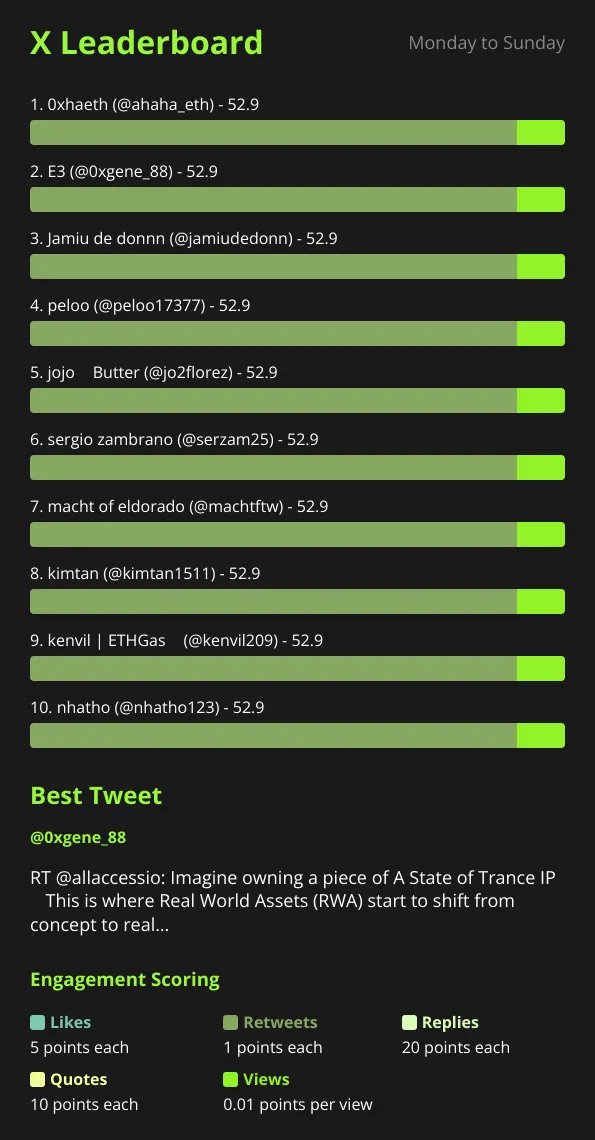
Type /report in a chat where X Bot is set up, and it resends the most recently generated report — the leaderboard image plus the formatted text breakdown — straight into the chat.
That distinction matters: /report does not trigger a new fetch from X. It re-sends whatever the bot already built on the last scheduled fire. If your schedule runs once a day at 09:00 UTC and someone runs /report at 3pm, they get the same leaderboard that posted that morning — not a live, up-to-the-minute pull. Think of it as “show me again,” not “check again.”
That’s still useful. Reports scroll away in busy group chats. New members join mid-campaign and have never seen one. A client asks for a screenshot on a call. /report gets the last leaderboard back in front of people without anyone hunting through chat history.
If a chat has never had a report generated yet — brand new setup, first schedule hasn’t fired — /report will tell you there’s nothing to show rather than generating one on the spot.
Who can run it#
By default, /report is admin-only. The bot treats pulling a report as spending the group’s allocation the same way a scheduled fire does, so it gates the command behind group-admin status — the same check used elsewhere in the bot. In a private chat (no group, no admins to check against), the restriction doesn’t apply and the command always works.
If your team wants any member to be able to pull the current leaderboard — useful for larger communities, or agencies where account managers aren’t Telegram group admins — open it up:
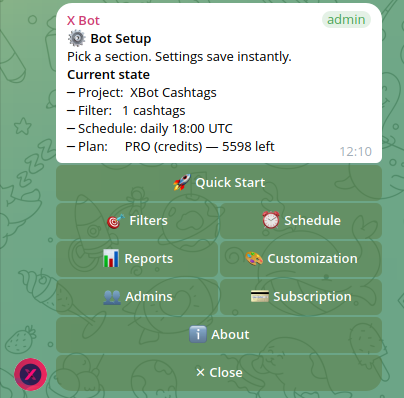
/setup → 👥 Admins & Notifications → toggle “Let everyone run /report”.
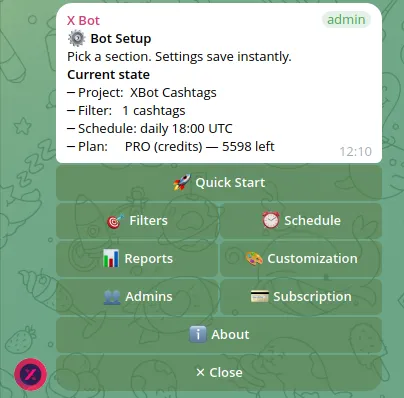
The same screen shows who’s currently allowed to run it, and lets you flip it back to admins-only if an open chat turns out to be noisy — people testing the button repeatedly, for example.
Agencies running the same bot across a full client roster tend to leave this admin-gated by default and staff up admins deliberately instead of opening the command to everyone — see adding team members as X Bot admins for how to grant that access to an account manager without handing them ownership of the group. Solo operators run into the restriction less often: in a private chat with the bot, there’s no admin list to check, so /report always works. That’s relevant if you’re using X Bot the way described in X Bot for solo KOLs — tracking your own activity from a small or single-person chat.
If your chat uses Telegram forum topics and you’ve pointed reports at a specific topic, /report follows that same routing — it replies into the configured topic rather than the chat’s general thread, so the on-demand pull lands in the same place your scheduled reports already do.
What the free plan shows you#
If your chat is on the FREE plan, there’s one FREE-specific detail worth knowing before you rely on /report for a full campaign readout: the report text caps at 25 tracked posts per report, even if the underlying fetch tracked more. When that ceiling is hit, the message includes a note pointing to /setup → 💳 Buy Credits to see the rest.
There’s also a courtesy nudge built in — a FREE chat that’s used 80% or more of its monthly allowance gets a one-time reminder in its report that it’s approaching the cap, so an agency running a live campaign isn’t caught off guard by a sudden stop. And if the monthly allowance is fully exhausted, /report (like the scheduled fire) responds with an upgrade prompt instead of a report — the bot can’t show numbers it wasn’t able to fetch.
None of this is unique to /report — it’s the same FREE-plan behavior that applies to scheduled reports. /report just means you’ll see it sooner if you’re checking in mid-month rather than waiting for the next scheduled fire. For the full math on FREE vs PRO vs ETH credits, see how X Bot pricing works.
/report vs. changing your schedule#
It’s tempting to reach for /report as a workaround when your schedule feels too slow — but it’s worth being honest about what it can and can’t do.
- It cannot force a fresh fetch. If nothing new has been tracked since the last fire, running
/reportfive times in a row shows the same leaderboard five times. - It doesn’t change your cadence. If you genuinely need more frequent updates — say, twice a day during a launch week instead of once — the fix is adjusting the schedule itself, not leaning on
/report. X Bot enforces a 12-hour minimum interval between scheduled fires, so/reportis also the only way to see the leaderboard between two fires that are already 12 hours apart. - It’s read-only. It doesn’t touch your filters, your weights, or your schedule. It just shows what’s already there.
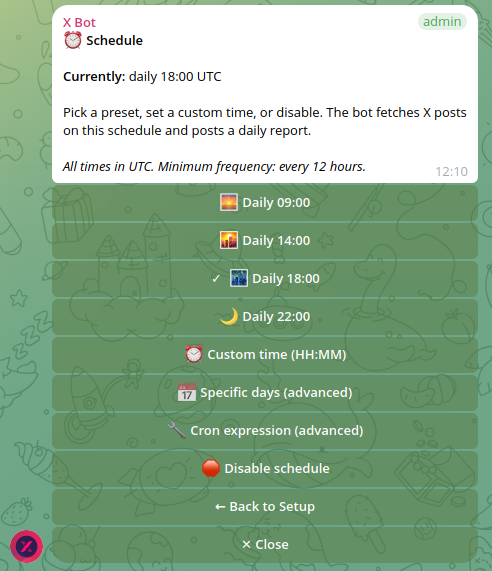
If what you actually want is “more frequent automatic updates,” see custom report schedules with cron expressions for how to tighten the interval within that 12-hour floor. If what you want is “let my whole team check in without pinging an admin,” the /setup → 👥 Admins & Notifications toggle above is the fix. /report covers the case in between: “let me see the current state, right now, without waiting.”
A few things people ask#
Does /report cost anything extra? No — it doesn’t trigger a new fetch from X, so it doesn’t consume additional posts against your monthly allowance beyond what the original scheduled fire already used. It re-sends a report that was already generated.
Can I run it more than once? Yes, as many times as you like. It always shows the same content until the next scheduled fire replaces it — running it twice in a row just posts the same leaderboard twice.
Does it work before the first scheduled report has fired? No. If nothing’s been generated yet — a brand-new chat, or one where the schedule hasn’t triggered once — there’s nothing for /report to resend, and the bot will say so instead of producing a report on demand.
Is there a faster way to get a genuinely fresh pull instead of the last one? Not through /report itself — it’s deliberately read-only. The lever for freshness is the schedule’s interval, covered in custom report schedules.
A quick reference#
- Command:
/report— no arguments. - Default access: group admins only (private chats: always allowed).
- Open it to everyone:
/setup→ 👥 Admins & Notifications → “Let everyone run /report”. - What it sends: the last generated report — image and text — not a new fetch.
- FREE plan: shows up to 25 tracked posts per report; nudges at 80% of the monthly allowance; blocks with an upgrade prompt once the allowance is exhausted.
- Docs: the setup menu reference covers every /setup section including Admins & Notifications, and troubleshooting covers what to do if a command doesn’t respond.
That’s the whole feature. It’s small on purpose — a fast way to put the current leaderboard back in front of a chat without asking anyone to wait for the clock.
Ready to track your community on X? Add @BWS_X_Bot to your Telegram group, run /setup, and your first report fires on the configured schedule. The FREE plan covers 100 posts/month — no card required.
About this article: This post was drafted with AI assistance using X Bot’s content workflow and reviewed by Nacho Coll, Founder & Principal at Blockchain Web Services (BWS), before publishing. Every product claim is checked against the live bot. Read how we use AI in our content. Spot an error? Reach us via
/setup→ ❓ Help & Support.
About the author
Nacho Coll
Founder & Principal, Blockchain Web Services
Nacho leads the Blockchain Web Services (BWS) team that builds and operates X Bot — the Telegram bot that turns X (Twitter) activity into leaderboards for crypto communities. He writes about KOL performance tracking, the X API, and running analytics bots for Telegram groups, from the operator side of the wire. Building on blockchain and decentralized infrastructure since 2019.
- on-demand x report telegram bot
- /report command x bot
- pull kol report now
- telegram bot report on demand