X Bot for Solo KOLs: Build a Public Performance Portfolio
Solo KOLs can track their own X activity with X Bot, auto-score engagement, and publish a public performance portfolio at xbot.ninja for clients to verify.
 by Nacho Coll
Nacho leads the Blockchain Web Services (BWS) team that builds and operates X Bot — the Telegram bot that turns X (Twitter) activity into leaderboards for crypto communities.
If you’re a solo KOL — someone who gets paid by crypto projects to post about their token, protocol, or launch — you’ve probably run into the same problem every freelancer eventually hits: proving your performance. A client asks “how did last week’s posts do?” and you’re stuck screenshotting individual tweets, tallying likes by hand, and hoping nobody asks you to explain your methodology.
X Bot was built for community-scale tracking, but the same mechanics work just as well for a single account. This guide walks through setting it up as a personal performance tracker, and what it takes to turn that tracking into a public, shareable portfolio.
The Problem With Self-Reported Numbers#
Every solo KOL eventually has to answer some version of “prove it.” Clients want evidence that the posts they paid for actually landed — not a vibe, not a memory of “that one tweet did well,” but a number they can check.
The usual workaround is manual: a spreadsheet where you paste in likes, retweets, and replies after the fact, updated whenever you remember to do it. It works for a handful of posts a week. It falls apart the moment you’re juggling three or four client campaigns and your own account at the same time, and it never fully solves the trust problem — a client is always looking at numbers you typed in yourself, not numbers a third-party system pulled from X directly.
That’s the gap X Bot fills for a solo operator: it fetches your posts from X on a schedule, scores them the same way it would for a 500-person community, and renders a report you didn’t have to compile.
Setting Up Tracking for Your Own Account#
You don’t need a large community to use X Bot — a small Telegram group works fine, and it can be just you and one client or collaborator. Add @BWS_X_Bot to that group, promote it to admin, and run /setup.
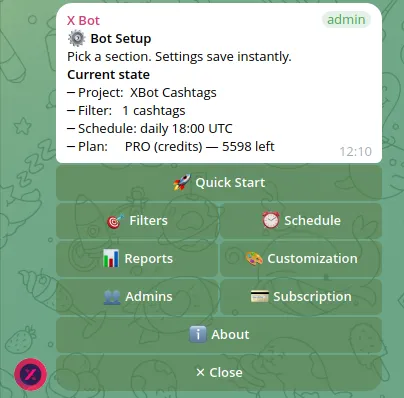
From the top-level menu, the setup you need is straightforward:
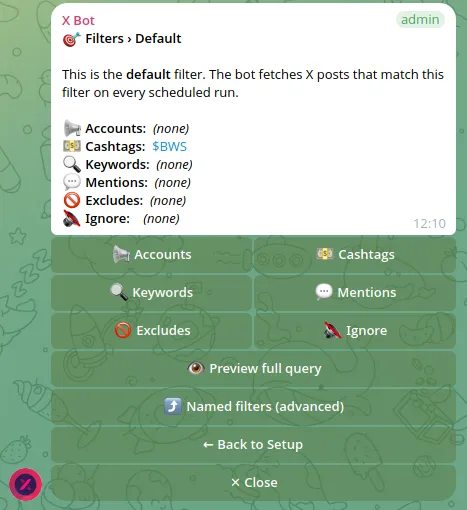
- 🎯 Filters → 📢 Accounts — add your own X handle (
from:yourusername) to the default filter. This tells X Bot to fetch every post you publish. - ⏰ Schedule — pick a cadence. Daily (09:00/14:00/18:00/22:00 UTC presets) works well if you post often; weekly makes more sense if you’re posting a handful of times per week and want a cleaner rollup for client updates.
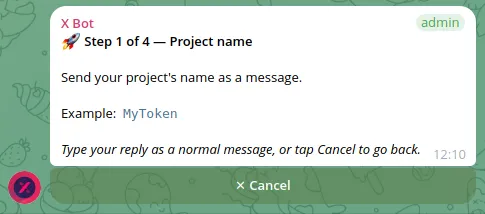
- 🎨 Customization — set a project name and description that reads like a personal brand line rather than a project name, since this is what shows on your report and, eventually, your public card.
If you also do X posts about specific tokens using a cashtag, you can layer that in too — 🎯 Filters → 💵 Cashtags lets you add $TOKEN alongside your account filter. Just remember filters are additive within a category: any post matching either your account or the cashtag gets counted, not just posts that do both. If you want “only my posts that mention this specific token,” you need a named filter that requires both conditions together — worth knowing before you’re surprised by extra posts showing up in a report.
Once the filter and schedule are set, the bot starts fetching on its own. No more copying links into a spreadsheet after the fact.
What the Report Actually Shows#
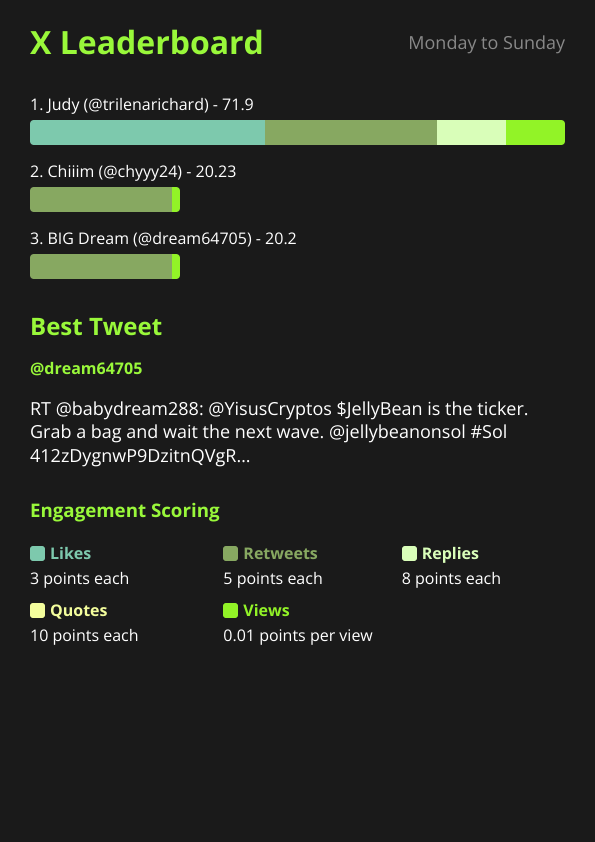
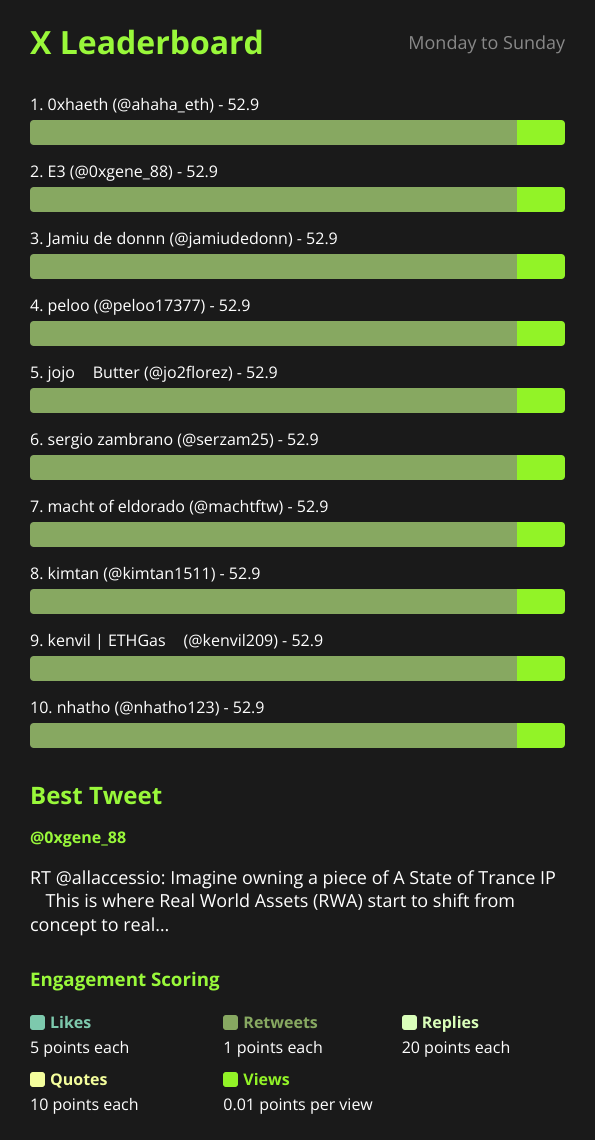
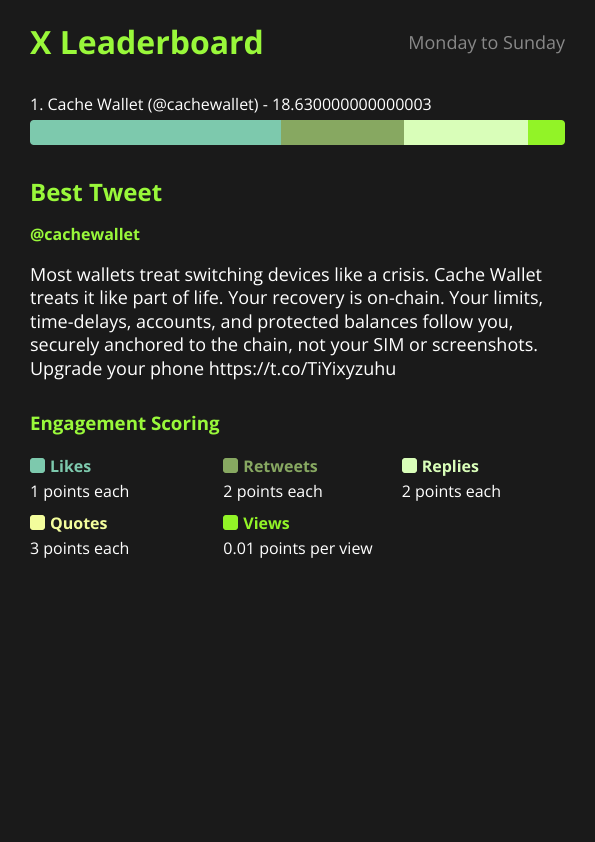
When the schedule fires, X Bot posts a rendered leaderboard image into the chat. For a single tracked account, it’s less a “leaderboard” in the competitive sense and more a performance summary: your tracked posts for the period, your engagement score, and the best tweet picker’s choice for standout post of the period.
The score itself comes from configurable weights across likes, retweets, replies, quotes, and views — the same formula used for multi-user community reports. If you want to emphasize a particular kind of engagement (say, replies as a proxy for real conversation rather than passive likes), you can tune those weights under 🎨 Customization, though most solo KOLs are fine leaving the defaults alone until they have a specific reason not to.
The best-tweet picker is worth calling out specifically for a portfolio use case: it deliberately avoids re-surfacing the same viral post week after week, which means your reports over time show a spread of what actually landed recently rather than one lucky tweet propping up every summary.
From Private Report to Public Proof#
A private report in your own Telegram chat already solves the “stop manually compiling numbers” problem. But the bigger unlock for a solo KOL is the public dashboard at xbot.ninja.
Once your tracked chat clears three thresholds — top score ≥ 300, ≥ 5 tracked posts, and ≥ 2 active users in the current month — your leaderboard becomes visible on the public dashboard with a shareable link. That last threshold is the one solo KOLs should note: a chat with only you posting won’t clear “2 active users” on its own. In practice this means adding a client, manager, or collaborator to the same chat (even as a silent observer) so the count clears, or relying on direct-URL access in the meantime.
Direct access works below the public threshold too — any chat can be viewed at https://xbot.ninja/?chatId=YOUR_CHAT_ID, so you can hand a client that link privately before you ever qualify for the public listing. That alone covers a lot of the “prove it” problem without needing public visibility at all.
If you do clear the thresholds, the public card pulls straight from your 🎨 Customization settings — project name, description, logo, and URLs — so it’s worth treating that section like a mini profile page rather than an afterthought. A clean public card with your handle, a one-line description of what you track, and a link back to your own site is a portfolio piece you can drop into a pitch to a new client without writing a paragraph of context.
Where This Approach Falls Short#
To be direct about the tradeoffs: X Bot is a scored-report tool, not a full analytics suite. It won’t give you follower growth curves, audience demographics, or historical trend charts going back months — it tracks the posts matching your filter, scores them, and renders a snapshot per period. If a client specifically wants that kind of longitudinal analytics dashboard, this isn’t the right tool on its own.
It also requires a Telegram group, which is a small bit of friction if your whole workflow otherwise lives on X. In practice this is a one-time setup cost — you make the group once, add the bot, and never think about it again — but it’s worth knowing upfront rather than discovering it mid-setup.
And if you’re only posting once or twice a week, the automation saves you less time than it would for someone at higher volume. The FREE plan (100 posts/month) covers a solo account comfortably in almost every case, so there’s little reason to hold off on trying it just because you’re not sure the volume justifies it — but don’t expect it to replace a dedicated personal-brand analytics tool if that’s specifically what you need.
Making the Portfolio Case to a Client#
The practical pitch to a client is simple: instead of asking them to trust a number you compiled, point them at a report generated on a fixed schedule by a system that pulled the data itself. Whether that’s a private link you share manually or a public card indexed on xbot.ninja, the value is the same — it moves the conversation from “trust me” to “here’s the report, check it yourself.”
For KOLs juggling more than one paying relationship, the same account can sit in multiple tracked chats if each client wants their own dedicated view, though if you’re managing several clients at real scale, running everything through named filters in one chat — the approach agencies use — is worth reading about too, since the mechanics translate directly even for a single freelancer with a growing roster.
Setup takes a few minutes. Read how X Bot works end to end or the full /setup menu walkthrough if you want the complete reference before diving in — but the honest summary is: point the filter at your own handle, pick a schedule, and let the reports accumulate. The portfolio builds itself from there.
Ready to track your community on X? Add @BWS_X_Bot to your Telegram group, run /setup, and your first report fires on the configured schedule. The FREE plan covers 100 posts/month — no card required.
About this article: This post was drafted with AI assistance using X Bot’s content workflow and reviewed by Nacho Coll, Founder & Principal at Blockchain Web Services (BWS), before publishing. Every product claim is checked against the live bot. Read how we use AI in our content. Spot an error? Reach us via
/setup→ ❓ Help & Support.
About the author
Nacho Coll
Founder & Principal, Blockchain Web Services
Nacho leads the Blockchain Web Services (BWS) team that builds and operates X Bot — the Telegram bot that turns X (Twitter) activity into leaderboards for crypto communities. He writes about KOL performance tracking, the X API, and running analytics bots for Telegram groups, from the operator side of the wire. Building on blockchain and decentralized infrastructure since 2019.
- solo kol tracking
- x performance portfolio
- personal kol analytics
- public twitter portfolio telegram