Running a Fixed-Dates X Engagement Contest From Your Telegram Group
Run a one- or two-week X engagement contest with a fixed start date: anchored period, daily leaderboard in Telegram, fair scoring and a clean final standing.
 by Nacho Coll
Nacho leads the Blockchain Web Services (BWS) team that builds and operates X Bot — the Telegram bot that turns X (Twitter) activity into leaderboards for crypto communities.
Every community manager eventually runs the same experiment: “For the next two weeks, whoever posts the best content about us on X wins something.” It is a good idea. It is also where most contests quietly fall apart, because nobody agreed on when the contest starts, nobody can see the standings while it runs, and the final tally turns into an argument about which tweets counted.
This guide is about the first two problems, and a little of the third. X Bot’s default report looks at a rolling window of the last seven days, which is great for an ongoing community leaderboard but wrong for a contest. A contest has a start date. Tweets from before that date should not count, and the standings should grow from zero as the contest progresses. X Bot supports exactly that through an anchored period, and most people never find it because the default is the rolling one.
Rolling window vs anchored cycle#
X Bot’s period setting controls the data window each scheduled report pulls from X. It is separate from the schedule, which only controls when reports fire. There are two shapes:
- Rolling window, such as
7daysor2w. Every report looks at the last N days ending now. A tweet from eight days ago simply falls off the board. This is the default (seven days) when you set nothing. - Anchored cycle, written as
DD/MM/YYYY Ndays, for example13/10/2026 14days. The cycle starts at midnight UTC on that date and runs for N days. Within the cycle, the window starts at the cycle’s first second and ends at the moment the report runs, so it grows from zero to N days, then resets at the next cycle.
For a contest, the anchored cycle is what you want. On day one the leaderboard contains only day-one posts. On day ten it contains ten days of activity. Nothing from before the start date leaks in, and nobody’s score disappears halfway through because a good tweet aged out of the window.
The date format is day first. 01/11/2026 is the first of November, not the eleventh of January. The bot rejects dates that do not exist, such as 31/02/2026, and durations outside 1 to 365 days.
Step 1: Add the bot and the filters#
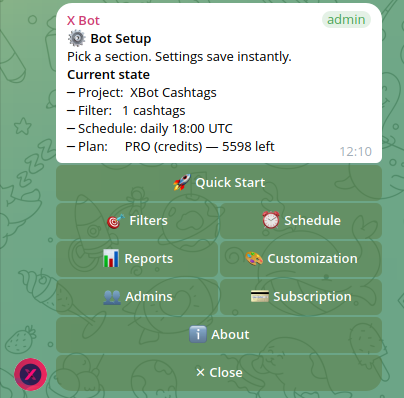
If you have not set up X Bot yet, add @BWS_X_Bot to the Telegram group where the contest will run, promote it to admin and send /setup. The setup menu docs walk through the screens.
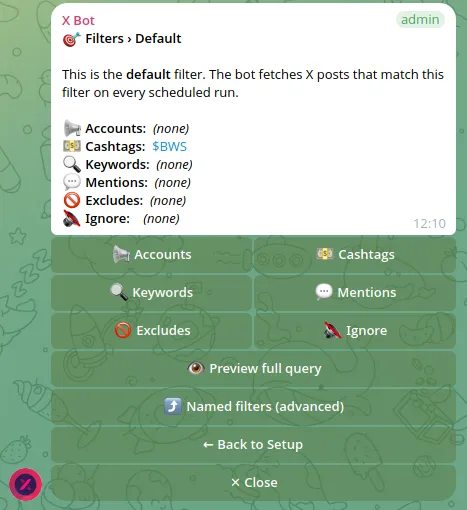
A contest needs a clear answer to “which posts count?” Open /setup → 🎯 Filters and decide on one of these:
- A cashtag such as
$YOURTOKEN, if the token exists and the contest rule is “post about the token”. See tracking cashtags across X for the details. - A keyword or mention, such as your project’s handle or a campaign phrase, if there is no cashtag yet. The pre-launch tracking guide covers that path.
- A list of accounts, if the contest is invitation-only and you know exactly which handles are taking part.
Pick one primary rule and announce it in plain words. The filter is the contest’s rulebook: if participants can read it and reproduce it, disputes get much shorter.
Step 2: Set the anchored period#
From the main /setup screen, open 📆 Period. The screen shows three presets (7, 14 and 30 days, all rolling) and a custom option. Choose 📅 Custom (rolling or anchored)… and send the anchored form when the bot asks for it:
13/10/2026 14daysThat means: cycle starts on 13 October 2026 at 00:00 UTC and lasts 14 days. The Period screen then shows the resulting window so you can confirm it before announcing anything.
Two details matter in practice.
Everything is UTC. If your community is mostly in one time zone, the contest “starts” at midnight UTC, not midnight local time. Say so in the announcement, in UTC, so nobody feels shortchanged by a few hours.
Cycles auto-roll. This is the part that catches people. An anchored period does not stop at the end of the cycle; it starts a new cycle of the same length and begins counting from zero again. That is perfect for a recurring “biweekly challenge” and a trap for a one-off contest. When your contest ends, go back to 📆 Period and either switch to a rolling preset or use 🗑 Clear period to revert to the default seven-day rolling window. Otherwise your next report will quietly show a fresh, nearly empty leaderboard.
If you set the anchor date in the future, the contest has not started yet and there is nothing to fetch for the new window. That makes it safe to configure everything a few days early, but do a test run (see Step 5) after the start date, not before.
Step 3: Choose how often the standings appear#
Standings only motivate people if they see them. Open ⏰ Schedule and pick a cadence. The daily presets fire at 09:00, 14:00, 18:00 or 22:00 UTC, or you can set a custom time, specific days or a full cron expression. There is a 12-hour minimum interval between fires, so you cannot post hourly updates, and that is a feature: a leaderboard that changes every hour turns a contest into a refresh-button race.
Our suggestion for a two-week contest is one report per day at the time your community is most active, so the standings land when people are around to react. The custom schedules guide explains the cron options if you want something like weekdays only.
Remember that period and schedule are independent. The schedule decides when a report is posted; the anchored period decides which tweets are in it. A daily report inside a 14-day cycle produces fourteen reports, each one a cumulative snapshot.
Step 4: Keep it fair#
This is where the contest is won or lost in the community’s eyes.
Keep the team off the board#
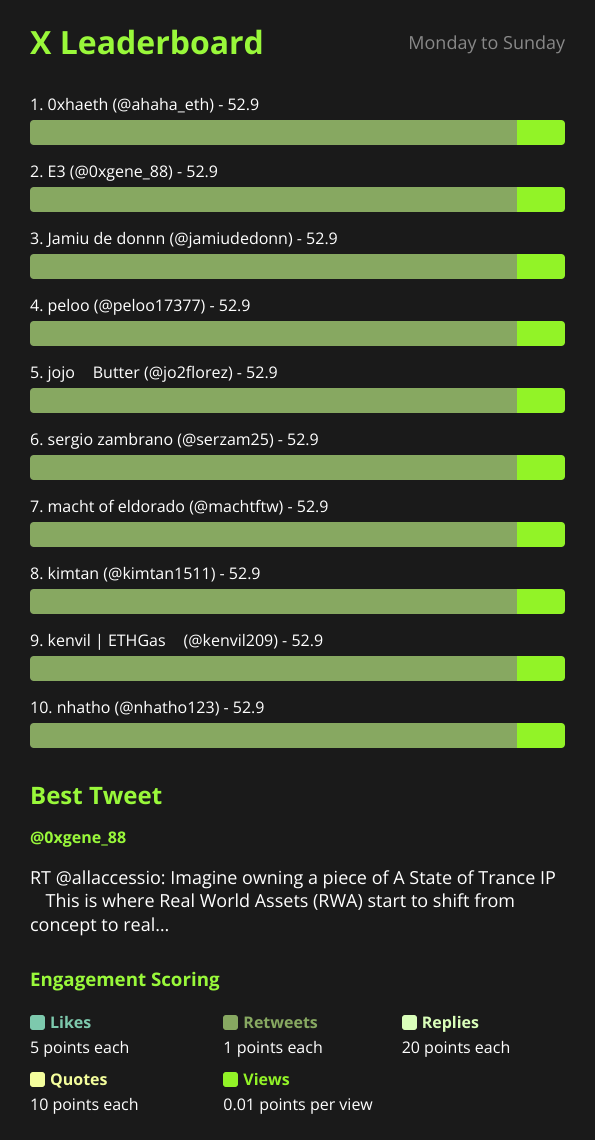
Your own team will post about the project, and if their tweets are counted, the leaderboard top five becomes five employees. Add team and official accounts to the ignore list: 🎯 Filters → 🔇 Ignore. Ignored accounts are removed from the results, so the board only ranks participants.
Decide on retweets, quotes and replies#
Under 🚫 Excludes you can leave out retweets, quotes or replies from the tracked posts. Think about what you want to reward. Excluding retweets stops a contest from turning into “who retweets the announcement fastest”, which is the cheapest possible action. The guide to cleaning up noisy reports covers both settings in more depth.
Know your scoring before you announce it#
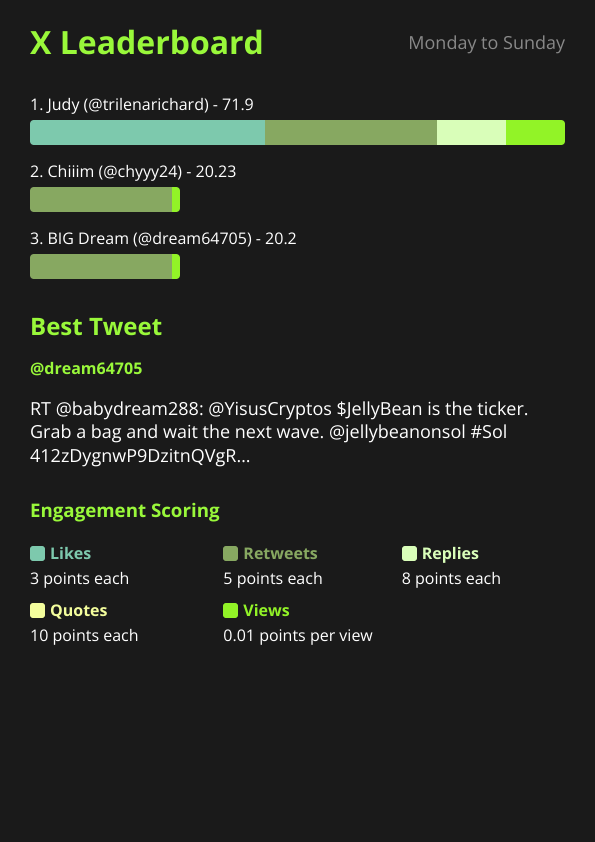
By default X Bot weights engagement like this: likes 3, retweets 5, replies 8, quotes 10 and views 0.01 per view. Conversation (quotes and replies) outranks amplification, and views count for very little. That already favours people who write something worth responding to over people who post a link and a rocket emoji.
If that is not the behaviour you want, change the weights before the contest starts, never during it. /setup → 🎨 Customization → 🏆 Points lets you override them for the chat, and the score weights guide explains the trade-offs. Changing the rules halfway through is the fastest way to make participants distrust the result.
Publish the rules in the group#
Pin a message with the start date and time in UTC, the tracking rule (the cashtag, keyword or account list), what is excluded, the scoring weights and when standings are posted. The leaderboard is only persuasive if people can verify how it was produced.
Step 5: Test, then run#
A few minutes before you announce, make sure the setup works. Press ⚡ Run report on the main /setup screen to fire a report immediately instead of waiting for the schedule. If the contest has not begun, the result will be empty or skipped, so a better dry run is to use a rolling 7days period for a day to check that the filters find the right tweets, then switch to the anchored date before launch.
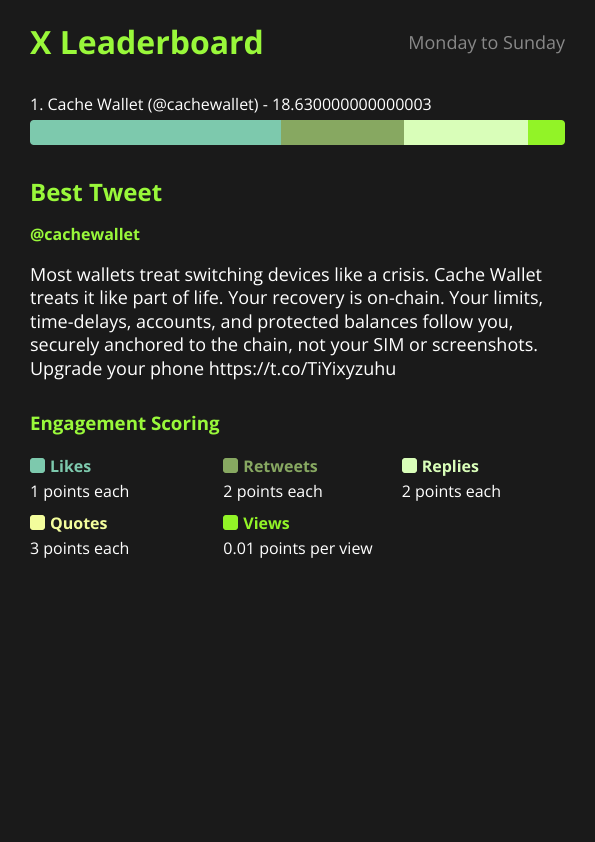
Once the contest is live, use the report image’s best tweet callout to your advantage. The best tweet picker highlights one standout post for the period, which gives you a natural thing to cheer for in the group each day. The deep dive on the best tweet picker explains how it chooses.
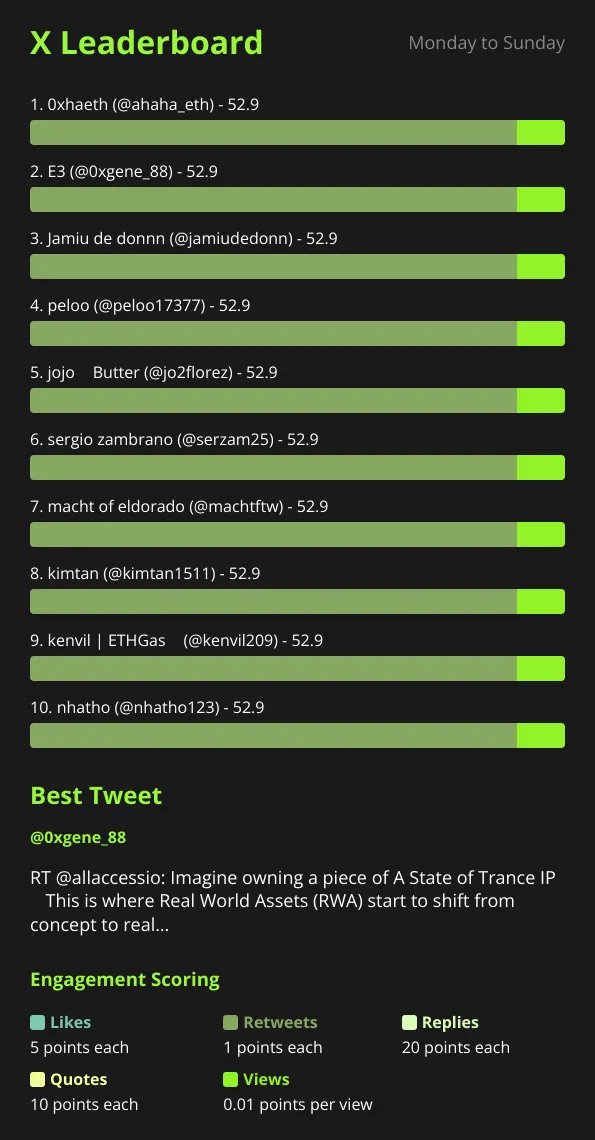
You can also brand the report with the contest name and logo under 🎨 Customization, so the daily image looks like a purpose-built contest leaderboard rather than a generic one.
Step 6: Close the contest cleanly#
On the last day, the report text switches into final-results framing instead of “days left” language. Use that last report as your official result: screenshot it, pin it, and tell the group that it is the final standing.
Then do the cleanup that people forget:
- Open
📆 Periodand either clear the period or move to a rolling preset, so the next cycle does not start counting a surprise second contest. - Update the
🎯 Filtersif the next campaign tracks something different. - Remove any contest-only ignore entries you no longer need.
If you want a permanent record, the report images the bot posts into the chat are the archive. Scroll the chat to find any day’s standings.
Cost: what a contest actually uses#
X Bot bills per post fetched. The FREE plan covers 100 posts per month, as a hard cap, which is enough to try a small contest but easy to exceed if a popular cashtag is involved. Beyond that, a PRO subscription costs $19 per month and includes 1,000 posts, then $0.02 per post beyond that. ETH credit packs cost $0.02 per credit, never expire, and are a good fit for a single capped campaign: buy a pack, run the contest, keep the remainder. Credits drain first, then the subscription’s monthly grant, then metered overage. The full breakdown is in the pricing docs and in how X Bot pricing works.
Because the anchored window grows during the cycle and the bot reuses posts it has already fetched for a chat, you are mostly paying for new posts as they appear, but plan for the busiest day of the contest rather than the average one.
When X Bot is the wrong tool#
Be honest with yourself about what a contest needs.
- It scores public X activity only. If your contest rewards things that do not happen on X (referrals, on-chain actions, Telegram activity), this is not the tool.
- It cannot tell quality from quantity by itself. The weights favour conversation, but a determined group can still generate replies. Review the top entries by hand before you pay out anything of value.
- It is not an identity check. The leaderboard ranks X accounts. Linking a handle to a wallet or a prize address is up to you.
- Settings are per chat. If you run two contests at once with different periods, put them in separate chats. Period, scoring and branding are chat-level settings.
For most community contests, though, the combination is enough: a fixed start, a visible daily standing, rules everyone can read, and a final report that settles the matter.
Checklist#
- Decide the tracking rule: cashtag, keyword, mention or account list.
- Add team accounts to
🔇 Ignoreand decide on excludes. - Set the weights before announcing, if you want non-default ones.
- Set
📆 PeriodtoDD/MM/YYYY Ndaysin UTC. - Set
⏰ Scheduleto one daily report. - Pin the rules, including the UTC start time.
- After the final report, clear or change the period.
Ready to track your community on X? Add @BWS_X_Bot to your Telegram group, run /setup, and your first report fires on the configured schedule. The FREE plan covers 100 posts/month — no card required.
About this article: This post was drafted with AI assistance using X Bot’s content workflow and reviewed by Nacho Coll, Founder & Principal at Blockchain Web Services (BWS), before publishing. Every product claim is checked against the live bot. Read how we use AI in our content. Spot an error? Reach us via
/setup→ ❓ Help & Support.
About the author
Nacho Coll
Founder & Principal, Blockchain Web Services
Nacho leads the Blockchain Web Services (BWS) team that builds and operates X Bot — the Telegram bot that turns X (Twitter) activity into leaderboards for crypto communities. He writes about KOL performance tracking, the X API, and running analytics bots for Telegram groups, from the operator side of the wire. Building on blockchain and decentralized infrastructure since 2019.
- x engagement contest
- crypto community contest
- telegram leaderboard contest
- anchored period x bot