Tracking Telegram Raid Results on X: Who Actually Showed Up
Run X raids from your Telegram community and see who actually replied and quoted. Score participation with a leaderboard, and learn where a daily recap fits.
 by Nacho Coll
Nacho leads the Blockchain Web Services (BWS) team that builds and operates X Bot — the Telegram bot that turns X (Twitter) activity into leaderboards for crypto communities.
Every crypto community manager knows the ritual. Someone posts “RAID NOW” in the Telegram group with a link to a tweet, a few hundred members react with a rocket, and twenty minutes later the thread has a handful of replies. Afterwards you are left with two questions nobody can answer cleanly. Who actually went to X and engaged? And were the replies worth anything, or just “gm” and a flame?
Link clicks do not tell you. Telegram reactions do not tell you. The only record is on X itself, scattered across a thread, a hashtag and a dozen quote-tweets.
This post covers how to turn that scattered record into a leaderboard inside the same Telegram group, what the scoring rewards, and, just as important, where X Bot is the wrong tool for raids.
What a raid leaves behind on X#
A raid, in practice, produces a few kinds of public activity:
- Replies under the target tweet.
- Quote-tweets that add the member’s own words.
- Original posts using the raid hashtag or the project cashtag.
- Retweets and likes, which are cheap and mostly noise.
All of that is public, which means it can be fetched and scored. What you need is a way to say “only count activity from my community, about my project” and a rule for how much each kind of action is worth. X Bot does both.
Step 1: Decide who and what to track#
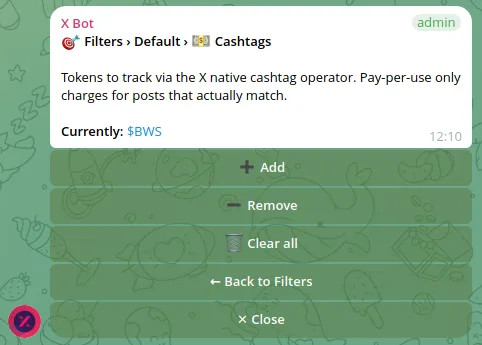
Open your group, run /setup and go to 🎯 Filters. The filter types you will use for raids are the ones from the product basics:
- Accounts (
from:) — the X handles of your raiders. If you have a verified list of community members who have linked their X handle, put them here. This is the cleanest way to score participation per person. - Cashtags — your token’s cashtag, for example
$YOURTOKEN. - Keywords — the raid hashtag or a phrase unique to the campaign.
Which combination to use depends on how organised the raid is.
Roster-based raids. If you know who your raiders are, track their handles together with the cashtag or keyword. The report then answers “of the people we expected, who delivered?”
Open raids. If anyone can join, track the cashtag or hashtag alone. You will see whoever used it, including people you have never heard of. That is useful for finding new active members, and noisier for the reasons covered below.
If you track both handles and a cashtag, check whether your filter is set to match any or all conditions. An “all” match with a long list of handles is the classic cause of an empty report, explained in Empty X Bot report? Match ANY vs Match ALL.
Step 2: Let the scoring reward the right behaviour#
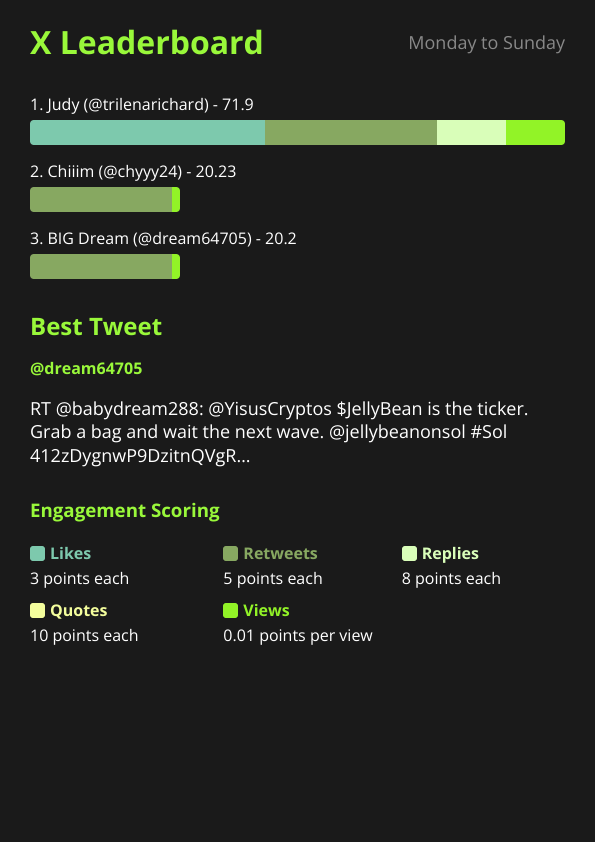
By default, X Bot scores each post with these weights: likes = 3, retweets = 5, replies = 8, quotes = 10, views = 0.01. Each tracked post also earns a flat base score of 10 for being written at all.
Notice the order. Conversation outranks amplification. A quote-tweet is worth more than three times a like, and a reply is worth more than a retweet. For a raid that is the right instinct: a reply with real words in it is the thing you wanted, and a bare retweet is the thing anyone can do in one tap.
A worked example, with one raider’s post that picked up 20 likes, 4 retweets, 6 replies, 2 quotes and 1,000 views:
| Component | Calculation | Points |
|---|---|---|
| Base score | flat per post | 10 |
| Likes | 20 x 3 | 60 |
| Retweets | 4 x 5 | 20 |
| Replies | 6 x 8 | 48 |
| Quotes | 2 x 10 | 20 |
| Views | 1,000 x 0.01 | 10 |
| Total | 168 |
Views carry almost no weight, so a raider cannot climb the board just because an account has a huge following and the post was seen by many. Replies and quotes from people who joined the conversation are what move a rank.
If you want to push participation further, you can change the weights per chat with /set_points or through /setup → 🎨 Customization. A raid-focused community might raise the quote weight or lower the like weight. The full explanation is in Customizing your leaderboard: score weights explained.
Step 3: Set a schedule that matches how you raid#
This is the part where honesty matters.
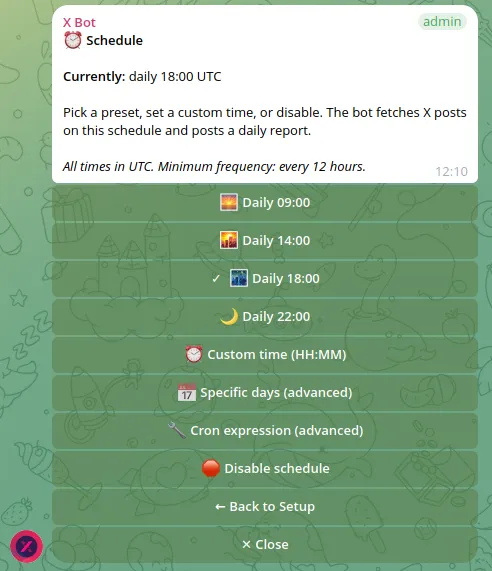
X Bot is a scheduled tool. It fetches X posts on a cron schedule, scores them and posts the report image. In /setup → ⏰ Schedule you can pick a daily preset (09:00, 14:00, 18:00 or 22:00 UTC), a custom time, specific days or a full cron expression. There is a 12-hour minimum interval between fires. The /report command resends the last generated report; it does not start a fresh fetch. See How to pull an on-demand X report for the details.
That shapes what X Bot can and cannot do for raids:
- It is good at the recap. Raid at 14:00 UTC, let the report fire at 22:00 UTC or at 09:00 the next morning, and the leaderboard lands in the group as a clear “here is who showed up” message.
- It is good at the running total. A weekly cadence of raids rolls up into a standing board: who is consistently engaging across all of them.
- It is not a live dashboard. If you want to watch a raid counter tick up minute by minute and shout out names while it is happening, a 12-hour minimum interval will not do that. For that job, a manual look at the thread, or a tool built for real-time monitoring, is the better fit.
If your raids are a daily habit, the schedule is not a limitation at all. The recap arrives at the same hour every day, and people in the group start checking for it.
Step 4: Keep the board honest#
Open raids attract the behaviour you would expect. A few things help.
Exclude what is not engagement. In 🎯 Filters you can exclude retweets, quotes or replies, depending on what you want to count, and keep an ignore list of accounts that should never appear. If a known bot account or a team member who should not compete keeps showing up, put them on the ignore list. Cleaning up noisy X Bot reports walks through both controls.
Remember what engagement is. The score measures visible activity on X. It does not measure whether a reply was thoughtful, on-brand or even relevant. A person can post a copy-pasted reply forty times and collect points for each. The leaderboard is a conversation starter, not a verdict, so look at the best tweet of the period before you hand out anything of value.
Say the rules out loud. Tell the group what is being counted and what is not. People engage more fairly when they know replies and quotes count more than likes, and that the board resets on a known schedule.
Pair it with a contest if there is a prize. If you are giving rewards, a fixed start and end date makes the result easy to defend. Run a fixed-dates X engagement contest from Telegram covers that setup.
What the report gives your raiders#
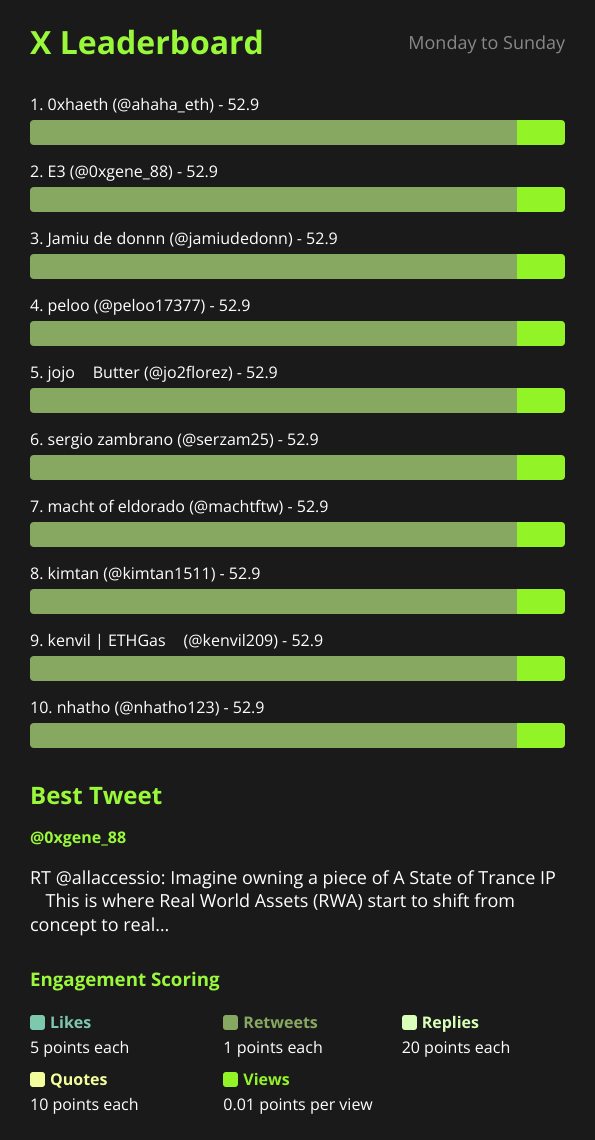
Once the schedule fires, the group receives a leaderboard image with each participant’s score, built from the weights above, plus the best tweet of the period. The image carries your project name, logo and colors if you set them under 🎨 Customization, so it looks like part of your community rather than a generic bot output.
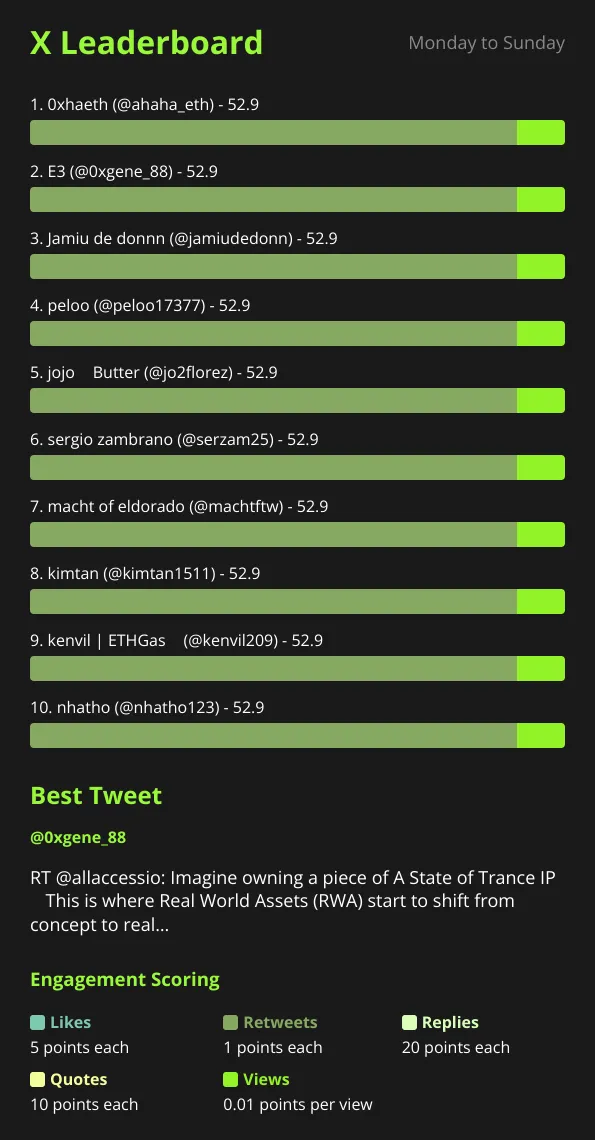
For a raid community this does three useful things:
- It makes participation visible. Members who showed up get named. Members who only reacted in Telegram do not.
- It surfaces your real core. After a few weeks you know who reliably engages, which beats guessing from chat activity.
- It gives you a record. If a member later claims they raided every day, the board is there.
What it costs#
The FREE plan covers 100 posts per month as a hard cap. A busy raid community can burn through that quickly, since every matching post fetched counts. The paid options layer cleanly: PRO subscription at $19 per month including 1,000 free posts, then $0.02 per post metered, or ETH credit packs at $0.02 per credit that never expire. Credits drain first, then the subscription grant, then metered overage. The ETH credit route suits one-off campaigns where you do not want a recurring bill. How X Bot pricing works has the full breakdown, and Check your credit usage shows how to see where posts went.
If you are unsure how much a raid will fetch, start with a narrow filter, such as a roster of handles plus the cashtag, rather than a broad keyword that could match thousands of unrelated posts.
When X Bot is the wrong tool for raids#
To be direct about it:
- You need live counters during a raid. The 12-hour minimum between scheduled reports rules that out.
- You need to verify quality, not volume. A leaderboard will not read replies for you.
- You need to prove who clicked a link inside Telegram. X Bot only sees public activity on X.
- Your raiders have private or protected accounts. Their activity is not public, so it cannot be counted.
For everything else, the daily or weekly recap of who engaged and how much, it removes a lot of manual thread-scrolling.
A quick setup checklist#
- Add the bot to your group, promote it to admin and run
/setup. - Under 🎯 Filters, add raider handles, your cashtag and the raid keyword.
- Decide whether to exclude retweets, and add known bots to the ignore list.
- Under ⏰ Schedule, pick a recap time after your usual raid window.
- Under 🎨 Customization, set your project name and logo, and adjust weights if you want replies and quotes to count even more.
- Tell the group the rules, then wait for the first report.
For menu details see the setup menu reference.
Ready to track your community on X? Add @BWS_X_Bot to your Telegram group, run /setup, and your first report fires on the configured schedule. The FREE plan covers 100 posts/month — no card required.
About this article: This post was drafted with AI assistance using X Bot’s content workflow and reviewed by Nacho Coll, Founder & Principal at Blockchain Web Services (BWS), before publishing. Every product claim is checked against the live bot. Read how we use AI in our content. Spot an error? Reach us via
/setup→ ❓ Help & Support.
About the author
Nacho Coll
Founder & Principal, Blockchain Web Services
Nacho leads the Blockchain Web Services (BWS) team that builds and operates X Bot — the Telegram bot that turns X (Twitter) activity into leaderboards for crypto communities. He writes about KOL performance tracking, the X API, and running analytics bots for Telegram groups, from the operator side of the wire. Building on blockchain and decentralized infrastructure since 2019.
- telegram raid tracking
- x raid leaderboard
- crypto raid engagement
- raid participation report