X Bot vs X Pro vs Old TweetDeck: When Does a Telegram Bot Win?
X Pro / TweetDeck are real-time monitoring tools. X Bot is a scheduled report engine that publishes into your team chat. Different problems, different tools.
 by Nacho Coll
Nacho leads the Blockchain Web Services (BWS) team that builds and operates X Bot — the Telegram bot that turns X (Twitter) activity into leaderboards for crypto communities.
When KOL agencies ask us about X Bot, the first question is often: “How does this compare to X Pro?” or “Is this a TweetDeck replacement?” The short answer is: they’re solving different problems.
X Pro and TweetDeck are real-time monitoring dashboards. You open them, scan columns of live tweets, and react immediately. X Bot is a scheduled report engine that publishes performance summaries directly into your team’s Telegram chat where decisions actually get made.
Most successful agencies use both. Let’s break down when each tool wins.
The Core Difference: Monitoring vs Reporting#
X Pro / TweetDeck = Real-Time Monitoring
- Live feed of tweets as they happen
- Column-based dashboard you keep open in a browser tab
- Perfect for customer service, trend-watching, or immediate responses
- Designed for one person sitting at a desk
X Bot = Scheduled Performance Reports
- Digest of what happened over the last day/week/period
- Automatically posted into your team chat on schedule
- Scored and ranked by engagement metrics
- Built for teams that need accountability and performance tracking
Think of it like the difference between a security camera feed (monitoring) and a daily sales report (reporting). Both are valuable, but for completely different reasons.
When X Pro / TweetDeck Wins#
Real-Time Response Needs#
If you’re running customer support for a major token launch and need to respond to complaints within minutes, X Pro’s live columns are unbeatable. You can set up streams for your project’s mentions, track competitor activity, and jump on trending topics immediately.
Content Discovery and Research#
TweetDeck’s ability to organize multiple live feeds side-by-side makes it perfect for content research. Set up columns for industry hashtags, competitor accounts, and trending topics. The real-time flow helps you spot opportunities as they emerge.
Individual Power-User Workflows#
Solo KOLs who live on X often prefer the dashboard approach. They can monitor their mentions, track engagement on recent posts, and keep tabs on their network’s activity — all from one screen.
Zero Learning Curve#
Most crypto professionals already know how to use TweetDeck or X Pro. There’s no setup, no configuration, no explaining to team members. Just open it and start monitoring.
When X Bot Wins#
Team Accountability and Performance Reviews#
Here’s where Telegram bots shine: they publish results where your team actually lives. Instead of someone having to remember to check a dashboard, the performance summary appears in your project chat every morning at 9 AM UTC.
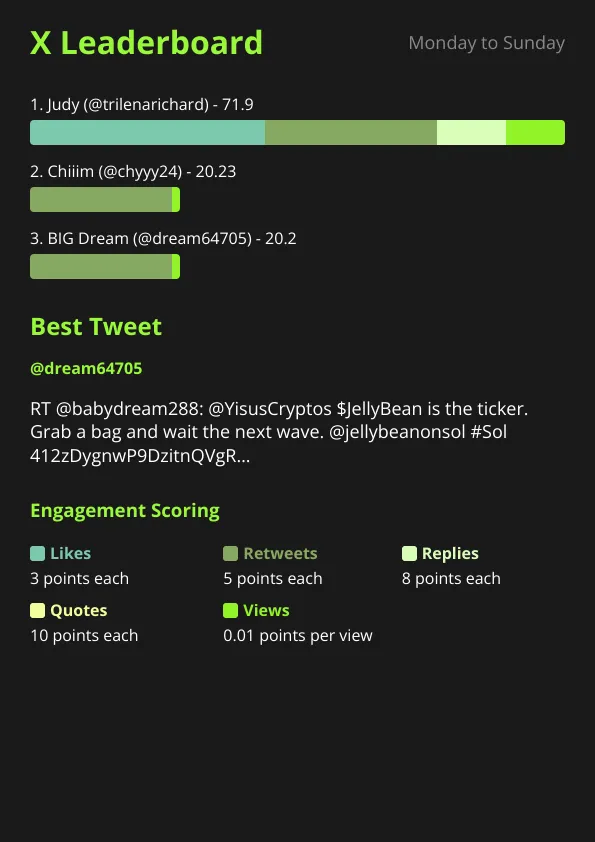
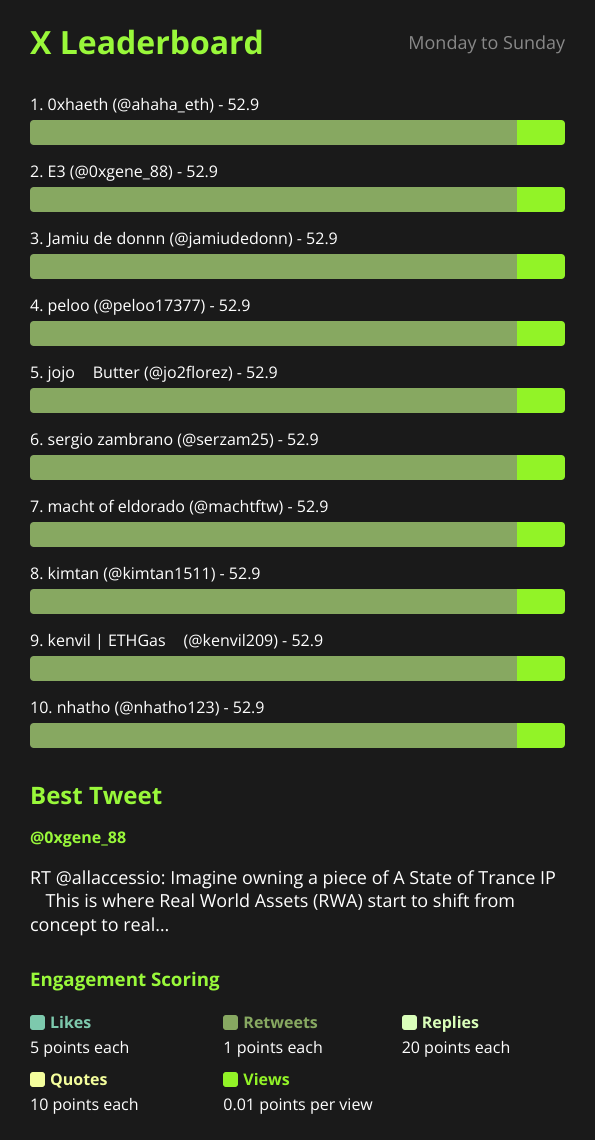
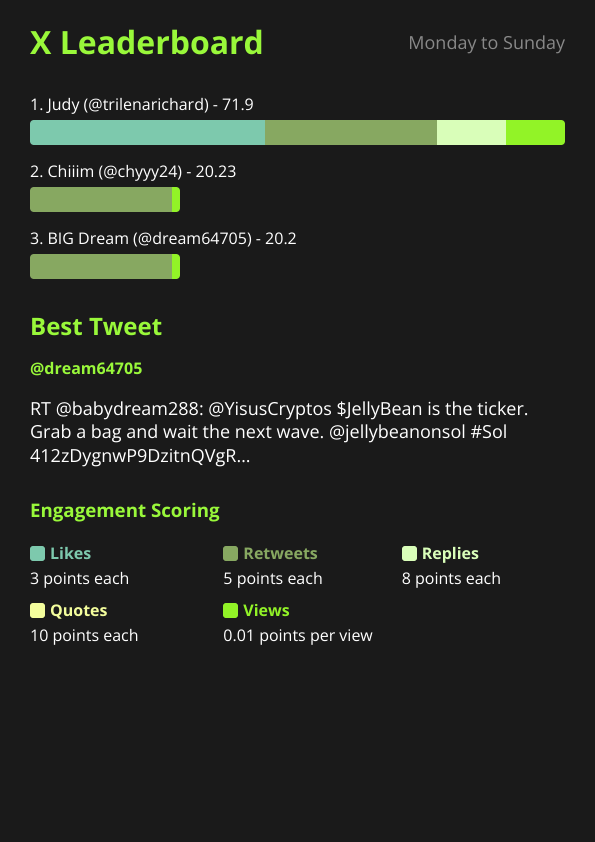
When you’re managing 5 KOLs across a token launch, you don’t want to manually track their tweet performance in spreadsheets. X Bot scores each person’s posts by engagement, ranks them, and shows you who’s delivering value.
Shared Context for Decision Making#
The report image becomes a shared reference point for team discussions. “Looking at yesterday’s leaderboard, Sarah’s posts are consistently outperforming the others — let’s give her the announcement about the new partnership.” Everyone sees the same data at the same time.
Historical Performance Tracking#
Unlike the live stream approach, X Bot builds a performance history. You can look back at weeks of daily reports to spot trends, identify your best-performing KOLs, or see which content strategies actually moved the needle.
Multi-Project Management#
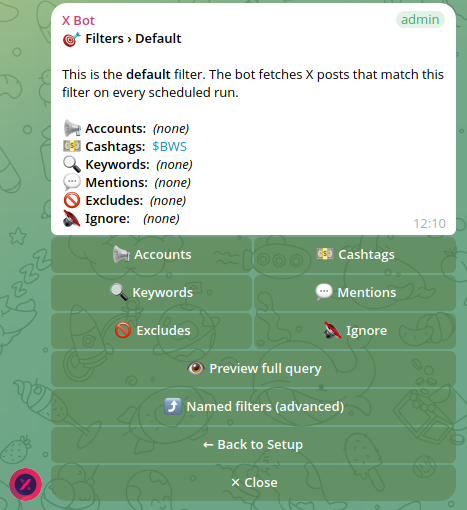
KOL agencies often manage 10+ clients simultaneously. Setting up separate TweetDeck columns for each client’s filters becomes unwieldy. With X Bot, you can run multiple named filters in one Telegram chat — each client gets their own section in the daily report.
The Cost Reality Check#
X Pro: $84/year ($7/month) for enhanced features, analytics, and higher API limits.
X Bot: FREE for 100 posts/month, then $19/month PRO subscription (1,000 posts included) or $0.02/post via ETH credits. For most small agencies, the FREE tier covers their tracking needs.
The math changes based on your usage pattern. If you’re tracking 50 posts per day across multiple KOLs, X Bot quickly becomes more expensive than X Pro. But if you’re running weekly performance reviews for a small team, X Bot’s FREE tier might cover everything you need.
Unlike X Pro or TweetDeck’s flat fees, X Bot layers a FREE tier, $19/month subscription, and pay-as-you-go ETH credits — see how X Bot pricing works for the full math.
Latency and Data Access#
Real-Time vs Scheduled
X Pro shows you tweets within seconds of posting. X Bot runs on a schedule — typically daily reports at 9 AM, 2 PM, 6 PM, or 10 PM UTC. If immediate response is critical, X Pro wins.
But here’s the counter-argument: most performance decisions don’t require second-by-second data. When you’re planning next week’s content strategy or deciding which KOLs to renew, you need trends and patterns, not live updates.
Data Depth and Scoring
X Bot goes deeper on engagement analysis. While X Pro shows you raw metrics, X Bot applies configurable weights to likes, retweets, replies, quotes, and views — then scores each post and ranks performers. You also get the “best tweet” feature that highlights the top-performing content from each reporting period.
TweetDeck gives you the raw stream. X Bot gives you the analysis.
Where Both Tools Work Together#
Most successful agencies we work with use both approaches:
- X Pro for immediate monitoring during token launches, AMAs, or crisis response
- X Bot for performance accountability — daily/weekly reports that keep KOLs motivated and help identify top performers
- X Bot’s auto-relay feature to forward important posts from key accounts directly into team chats
For example, during a token launch week, the community manager might monitor X Pro for immediate sentiment shifts while X Bot tracks which KOLs are actually driving engagement. The auto-relay feature ensures critical posts from the project’s main account appear in the team chat immediately.
The Team Chat Advantage#
Here’s X Bot’s biggest differentiator: it lives where your team already communicates. Instead of asking everyone to check another dashboard, the performance data appears in your existing Telegram group.
This seems minor until you experience it. When performance summaries appear automatically in team chat, they become part of the conversation. Team members start referencing the leaderboard in their daily discussions. KOLs ask about their scores. Project managers use the data to make real-time strategy adjustments.
The report becomes a shared artifact that drives decision-making, rather than a dashboard that only gets checked when someone remembers.
Making the Choice#
Choose X Pro / TweetDeck if:
- You need real-time monitoring and immediate response capabilities
- You’re a solo operator who lives on X throughout the day
- Content discovery and trend-spotting are your primary needs
- You want a simple, familiar interface with no setup required
Choose X Bot if:
- You’re managing team performance and need regular accountability reports
- Decision-making happens in team chats, not individual dashboards
- You want engagement analysis and scoring, not just raw tweet streams
- You’re tracking multiple projects or KOLs and need organized, historical reporting
Use both if:
- You’re running a KOL agency or managing complex token launches
- You need both real-time monitoring AND performance accountability
- Your budget supports multiple tools (most agencies find the combined cost reasonable)
The honest truth? They’re complementary tools solving different parts of the X analytics puzzle. X Pro excels at monitoring; X Bot excels at reporting. The size and complexity of your operation determines whether you need one or both.
For detailed setup instructions and configuration options, check out our complete setup guide or read our guide on tracking X activity during token launches for specific crypto project use cases.
Ready to track your community on X? Add @BWS_X_Bot to your Telegram group, run /setup, and your first report fires on the configured schedule. The FREE plan covers 100 posts/month — no card required.
About this article: This post was drafted with AI assistance using X Bot’s content workflow and reviewed by Nacho Coll, Founder & Principal at Blockchain Web Services (BWS), before publishing. Every product claim is checked against the live bot. Read how we use AI in our content. Spot an error? Reach us via
/setup→ ❓ Help & Support.
About the author
Nacho Coll
Founder & Principal, Blockchain Web Services
Nacho leads the Blockchain Web Services (BWS) team that builds and operates X Bot — the Telegram bot that turns X (Twitter) activity into leaderboards for crypto communities. He writes about KOL performance tracking, the X API, and running analytics bots for Telegram groups, from the operator side of the wire. Building on blockchain and decentralized infrastructure since 2019.
- x pro alternative telegram
- tweetdeck alternative x analytics
- x analytics tools comparison