Telegram Leaderboard Bot for Crypto Communities: What to Look For
Chat-activity bots and X-engagement bots both call themselves a Telegram leaderboard bot. Here is how to choose the one that rewards what your project needs.
 by Nacho Coll
Nacho leads the Blockchain Web Services (BWS) team that builds and operates X Bot — the Telegram bot that turns X (Twitter) activity into leaderboards for crypto communities.
Search for a “Telegram leaderboard bot” and you will find tools that do very different jobs under the same name. One counts how many messages people send in your group. Another ranks members who complete quests. A third scores what they post on X. All of them produce a ranked list, and all of them will happily tell you they “drive engagement”. Only one of them will reward the behaviour your project actually needs.
This guide is for community managers, KOL agencies and token-launch coordinators who want a leaderboard inside Telegram and need to pick the right kind. It covers the main types, what each one measures, how people game them, and when X Bot is the wrong answer.
Start with the question: what do you want people to do?#
A leaderboard is an incentive. Whatever it counts, people will produce more of. So before comparing bots, write down the behaviour you want more of:
- Talk in the Telegram group.
- Post about the project on X.
- Complete a specific task, such as joining a raid or finishing a quest.
- Invite other people.
Each of those maps to a different type of bot. Picking by feature list instead of by behaviour is how projects end up with a lively chat full of “gm” spam and no outside reach.
The four common types of Telegram leaderboard bot#
1. Chat-activity counters#
These sit in your group and count messages, replies or reactions, then rank members by activity. Setup is usually the lightest of any type: add the bot, give it permission to read messages, done.
What they reward: volume of talking inside Telegram.
Where they fail: message count is the easiest metric to game. Members learn that ten one-word messages beat one thoughtful answer. Moderators end up policing the leaderboard instead of the community. Many of these tools add cooldowns or minimum lengths to reduce the noise, which helps, but the underlying incentive stays “say more”, not “say something useful”.
Use one when: your goal is a busy, friendly group and you have moderators who can handle spam.
2. Invite and referral trackers#
These rank members by how many people they brought in through a personal invite link.
What they reward: growth of the member count.
Where they fail: member count is not the same as real community. Invite leaderboards attract throwaway accounts and reward-farming. If the prize is attractive, expect fake joins.
Use one when: you are in a pure growth phase and you can verify the quality of new members some other way.
3. Quest and raid bots#
Raid bots post a link, such as a tweet, and members are asked to like, repost or reply. The bot or a connected tool then records who completed the task and ranks them.
What they reward: completing a task you defined.
Where they fail: you design and post every task by hand, which does not scale beyond a campaign or two. Completion is often self-reported or approximated. If you want to see what a raid actually produced on X afterward, see tracking Telegram raid results on X.
Use one when: you run short, coordinated pushes on a specific post and want participation, not long-term performance.
4. X-engagement leaderboards#
These watch X (Twitter) instead of your chat. They fetch posts that match a set of rules, such as specific accounts, a cashtag, a keyword or a mention, score the engagement, and post the ranking back into Telegram.
What they reward: content people publish on X about your project, weighted by the engagement it earns.
Where they fail: they only see public X activity. Someone who is brilliant in your chat but never posts on X will not appear. And a score built on likes and reposts can be pushed by coordinated engagement, so the weights matter (more on this below).
Use one when: your goal is reach outside Telegram, such as ambassador programs, KOL deals, token launches or team advocacy.
A comparison you can use#
| Chat counter | Invite tracker | Quest / raid bot | X-engagement bot | |
|---|---|---|---|---|
| Measures | Messages in Telegram | Joins via link | Completed tasks | Posts and engagement on X |
| Easiest to game by | Spamming | Fake accounts | Self-reporting | Coordinated engagement |
| Effort per campaign | Very low | Low | High (you set each task) | Low (rules set once) |
| Best for | Active group | Early growth | Short raids | Ambassadors, KOLs, launches |
None of these categories is “best”. They answer different questions. A mature community often runs two: a chat counter to keep the group lively and an X-engagement board to see who is spreading the word.
What to check before you commit to any leaderboard bot#
Regardless of type, run through these checks.
1. What exactly is the score? If the bot cannot tell you its formula in a sentence, you cannot defend the ranking when someone complains. A visible, adjustable formula is worth more than a clever hidden one.
2. Can you change the weights? Your project might care about replies and quotes (conversation) more than likes. A bot with one fixed formula forces its priorities on you.
3. Where does the board appear? The best leaderboard is the one members actually see. A dashboard nobody opens does nothing. A report posted into the group on a schedule creates a weekly moment where people check where they ranked.
4. How does it handle gaming? Ask what happens with retweets, self-replies and duplicate posts. You want the ability to exclude low-signal content and to ignore specific accounts, such as your own official handle.
5. What does it cost at your volume? Per-post or per-fetch pricing can surprise you during a busy week. Check the pricing model against a realistic month, not the free-tier headline.
6. Does it need admin rights? Any bot that reads your chat needs permissions. Know what you are granting and to whom.
How an X-engagement leaderboard works in practice with X Bot#
Since the search brought you here, here is how X Bot handles the X-engagement type, with its limits stated plainly.
X Bot (@BWS_X_Bot) is a Telegram bot that turns X activity into leaderboards for crypto communities. You add it to your group, promote it to admin and run /setup. From the menu you define what to track in 🎯 Filters: X accounts (from:), cashtags such as $BTC, keywords and mentions, with optional excludes for retweets, quotes and replies and an ignore list. Then you pick when it reports in ⏰ Schedule. Daily presets are 09:00, 14:00, 18:00 and 22:00 UTC, or you can set a custom time, specific days or a full cron expression. There is a 12-hour minimum interval between fires.
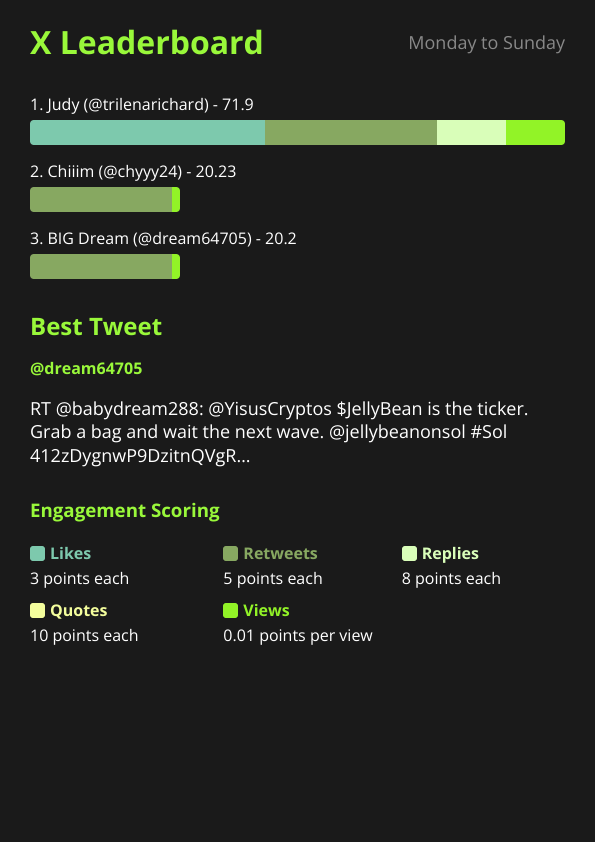
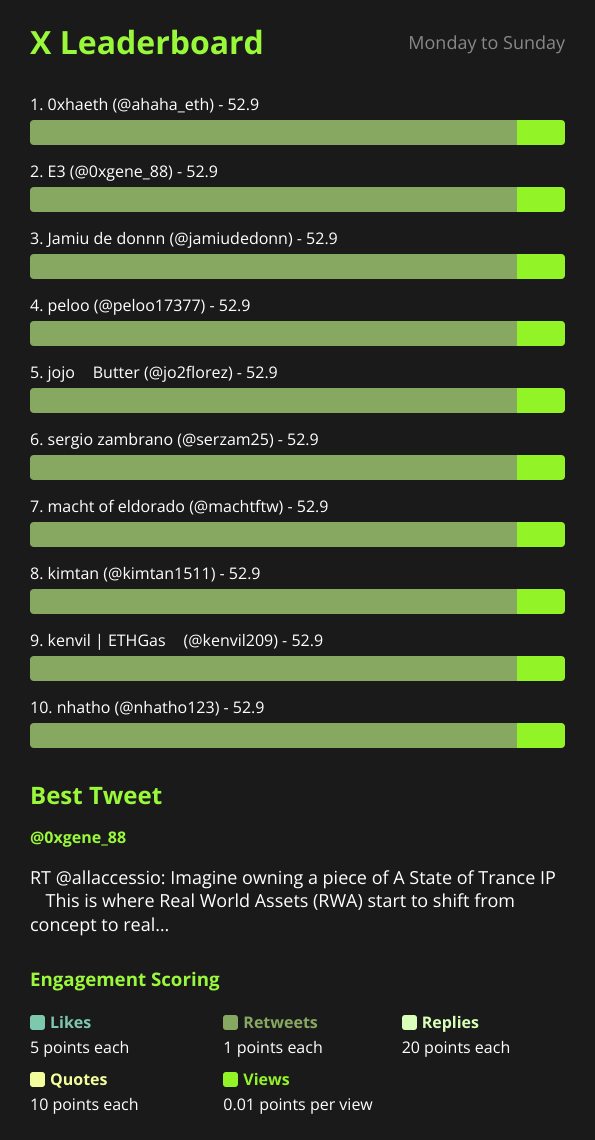
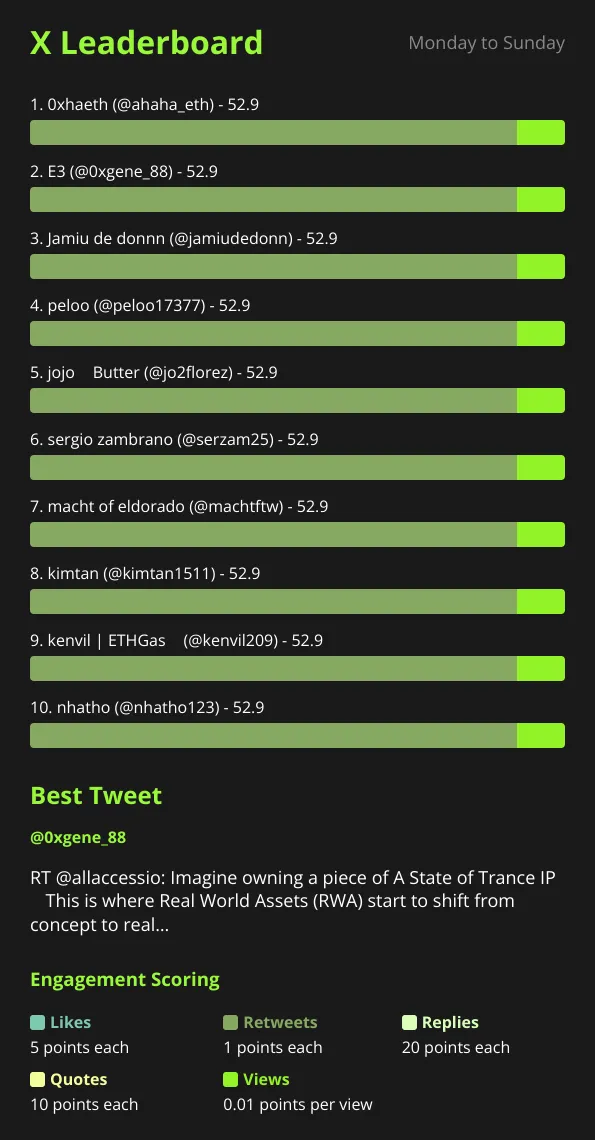
On each scheduled run the bot fetches the matching posts, scores them, renders a leaderboard image on the server and posts it back into the chat. The image shows the ranking, the “best tweet” of the period and your project branding, which you set in 🎨 Customization (project name, logo, colors and leaderboard title).
The default scoring formula#
By default a post is scored with these weights:
| Signal | Points |
|---|---|
| Like | 3 |
| Repost | 5 |
| Reply | 8 |
| Quote | 10 |
| View | 0.01 |
Notice the ordering. Conversation (quotes and replies) outranks amplification (reposts), and views count for almost nothing. That is a deliberate stance: a quote or a reply takes effort, while a view costs nothing. You can override the weights per chat with /set_points or from /setup → 🎨 Customization. If you want to understand the tradeoffs, read customizing your leaderboard score weights.
A quick worked example. A post with 40 likes, 10 reposts, 5 replies, 2 quotes and 2,000 views scores:
- 40 × 3 = 120
- 10 × 5 = 50
- 5 × 8 = 40
- 2 × 10 = 20
- 2,000 × 0.01 = 20
Total: 250 points.
Where X Bot is the right tool#
- Ambassador and community programs where you want a weekly ranking of members who post about the project. See the weekly ambassador leaderboard guide.
- KOL campaigns where you need to see who posted what. Named filters let one chat hold several campaigns.
- Token launches where you track a cashtag and a list of hired accounts together.
Where X Bot is the wrong tool#
Be honest with yourself here:
- If you want to reward chatting in Telegram, X Bot does not count Telegram messages. Use a chat-activity counter.
- If you want per-member invite tracking, it does not do that either.
- If you need to confirm that a specific person liked a specific tweet, X Bot ranks posts people publish. It is not a per-task verifier for raids.
- If your community barely uses X, there will be little for it to score.
Keeping any leaderboard honest#
Whichever bot you choose, a few habits keep the ranking credible.
Publish the rules. Tell members what is counted and what is excluded before the first report, not after someone is upset.
Exclude the noise. For an X-engagement board, excluding retweets and ignoring your own official accounts removes the easiest padding. Cleaning up noisy reports walks through the options.
Keep the board small. A top five that people can realistically reach motivates more than a top fifty that nobody can. The top count is adjustable in the customization menu.
Reward the behaviour, not just the rank. If you attach prizes, tie them to a fixed period and publish the winner with their best post. People respond to being seen.
Review the output manually at first. For the first two or three reports, open the top posts yourself. If the ranking looks wrong, fix the filters before you attach a prize to it.
How much does it cost?#
X Bot’s FREE plan covers 100 posts per month, as a hard cap, which is enough to test a small community. The PRO subscription is $19 per month through Stripe, including 1,000 posts per month, then $0.02 per post metered. If you prefer not to subscribe, ETH credit packs cost $0.02 per credit and never expire. The full breakdown is in how X Bot pricing works and the pricing docs.
A simple way to decide#
- Write the one behaviour you want more of.
- Match it to a bot type from the table above.
- Run it for two to four weeks on a small scale.
- Compare what members actually did against what you hoped for.
- Adjust the formula or switch tools.
A leaderboard is cheap to start and cheap to drop. The expensive mistake is rewarding the wrong thing for months because the numbers looked busy.
For installation steps, see the X Bot installation guide.
Ready to track your community on X? Add @BWS_X_Bot to your Telegram group, run /setup, and your first report fires on the configured schedule. The FREE plan covers 100 posts/month — no card required.
About this article: This post was drafted with AI assistance using X Bot’s content workflow and reviewed by Nacho Coll, Founder & Principal at Blockchain Web Services (BWS), before publishing. Every product claim is checked against the live bot. Read how we use AI in our content. Spot an error? Reach us via
/setup→ ❓ Help & Support.
About the author
Nacho Coll
Founder & Principal, Blockchain Web Services
Nacho leads the Blockchain Web Services (BWS) team that builds and operates X Bot — the Telegram bot that turns X (Twitter) activity into leaderboards for crypto communities. He writes about KOL performance tracking, the X API, and running analytics bots for Telegram groups, from the operator side of the wire. Building on blockchain and decentralized infrastructure since 2019.
- telegram leaderboard bot
- telegram bot leaderboard
- twitter engagement leaderboard
- crypto community leaderboard